
Interested in investing time and money into PSXHAX.COM? Read More and Contact Us for details!
Category PS4 Guides and Tutorials       Thread starter Thread starter PSXHAX       Date / timeStart date Mar 12, 2018 at 7:48 AM       Replies 534      
Status
Not open for further replies.
Today @Codsworth let us know about an ESP Host project he's been working on, and shared a guide on a simple way to serve PS4 payloads using the ESP8266 Wifi Module board with at least 4 MB flash. :winkxf2:

Download: esphost.bin / esphostmulti.bin / esphostmulti405.bin / GIT

Here's all the details from the README.md: ESP Host

Today I show you a simple way to serve payload using the ESP8266.

Benefits of using the ESP8266:
  • Extremely low cost hardware, available worldwide
  • Ability to run 24/7 via USB, self-hosted payload, no external apps or programs required
  • Completely block all updates
  • No need for custom DNS server or settings, features automatic redirect
  • Easy to program and update via USB
  • Very low power consumption
Requirements:
Payloads included in esphost.bin
  • VORTEX HEN 1.4
Payloads included in esphostmulti.bin
  • HEN
  • HEN+VR
  • FTP
  • DUMPER
  • BACKUP
https://github.com/pearlxcore/ps4-playground-455

Instructions:

Flash esphost.bin using the following command:
Code:
sudo esptool.py --port /dev/ttyUSB0 write_flash 0x00000 0x400000 ./esphost.bin
  • After flashing completes, connect to "PS4-WIFI" using "easy setting" then go to [Settings] > [User Guide]
NOTE: Windows users must use the appropriate com port when flashing with esptool.py

NOTE2: Users can optionally flash using the GUI version of ESPTool

Compatible boards:

These are the most popular ESP8266 boards, but any esp8266 with 4M flash or larger will work.
Updates (via Codsworth)
  • More stable payloads , no memory errors or reloading pages
  • Updated esp-host to include payloads from ps4-playground
  • Added file compression - save space and serve payloads quickly.
  • Upgraded payload index to a better design thanks to pearlxcore
To-Do
  • Add ability to upload files/payloads
Notice and credits

Credit should be given to original authors of payloads - you know who you are.

How to run PS4 exploit offline using ESP-12E (ESP8266)
PS4 with ESP8266 7 seconds for the hen + playground
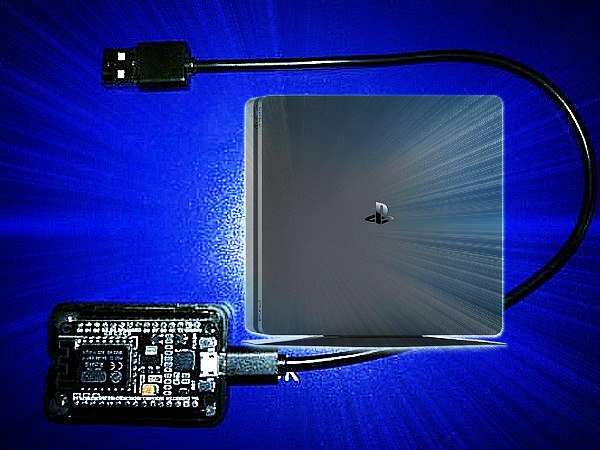
ESP Host Serve PS4 Payloads Using the ESP8266 Guide by Codsworth.jpg
 

Comments

@nzie thanks but what am i looking at? I just comments and the only link there is for getting this to work on an Rpi 3

and really what i like to know is how to compile the .bin for the 8266. got links on that?
 
@nzie cool thanks and yeah i have all of that down, the html code and js stuff i know how to do... but what i want to do is compile everything i have into a bin so i can inject it into the ESP8266 E12. That way i can use the NodeMCU Pyflasher 3.0 to easily inject the bin into the 8266.

There's already a few bins out there and thats what I'd like to do. I can flash my 8266 with Adrino with sketch's all day long no problem, but the data folder and its contents NEVER load. I've used about 15 different methods/programs...etc ... the only thing that works and fast is using the PyFlasher 3.0 to inject the bin

And there's my problem , I don't know how to compile it for it to work on the 8266
 
@nzie and see i thought about that too! because somewhere i saw that the backup is in bin format! the problem is i can't flash the data folder over.

i've change various things like the boards, memory size and I always keep getting this, it says the spiffs bin is not found. Its driving me insane... arrggh
Code:
Arduino: 1.8.5 (Windows 7), Board: "NodeMCU 1.0 (ESP-12E Module), 80 MHz, 4M (1M SPIFFS), v2 Lower Memory, Disabled, None, Only Sketch, 115200"

[SPIFFS] data   : C:\Users\Zoilus\Desktop\PS4Exploit\data
[SPIFFS] size   : 1004
[SPIFFS] page   : 256
[SPIFFS] block  : 8192
[SPIFFS] upload : C:\Users\Zoilus\AppData\Local\Temp\build6c50a41f9d6b8fb0a1c11a99a294f88a.spiffs/PS4Exploit.spiffs.bin
[SPIFFS] address: 0x300000
[SPIFFS] reset  : nodemcu
[SPIFFS] port   : COM3
[SPIFFS] speed  : 115200

error: stat C:\Users\Zoilus\AppData\Local\Temp\build6c50a41f9d6b8fb0a1c11a99a294f88a.spiffs/PS4Exploit.spiffs.bin failed: No such file or directory

SPIFFS Upload failed!
 
@Codsworth yes I use trejazz’s method. Inside data folder I used my own playground. I did not touch the code in ino file

@Zoilus navigate to C:\Users\Zoilus\AppData\Local\Temp\

Check whether folder “build6c50a41f9d6b8fb0a1c11a99a294f88a.spiffs” is there or else make a new folder with that name and retry compile.

And for flash size I use 4M (3M spiffs) not sure what is the differences between 1M/2M/3M spiffs.
 
@nzie yepp its already there , whats not there is that ps4exploit.spiffs.bin file. Im assuming it makes it and then sends it

and i checked each character by making a new folder and copying the name from that error report , and trying to name the new folder and it says it already exists...so i know the name of folder is right.

So after the ino. sketch file transfers...which i've left untouched, and that part always works.... do i then unplug, hold the flash button, plug it back in then do the sketch data upload?
 
‘data’ folder is there? I mean, inside PS4exploit folder must be ino file and ‘data’ folder. If ‘data’ folder is not there then the compiler can’t compile the files to spiffs.bin

@Zoilus In the treyjazz’s guide he said press reset button while inserting esp8266. But I didn’t do that but it work tho.

The process is like :

Load ino -> configure the board (flash/com/board type) -> sketch data upload -> wait until 100% -> on ‘sketch’ tab click on ‘upload’ -> wait until 100% -> profit
 
Status
Not open for further replies.
Back
Top
