
Today PlayStation 4 developer @XVortex kicked us out of the kitchen by announcing that his PKG Kitchen is no longer needed, and introduced his latest GP4 Generator all-in-one utility called GenGP4 which combined with the FTP server is everything you need to dump PlayStation 4 games including a more reliable tree-decrypting method alongside shorter instructions below! 
Download: gengp4.exe / gengp4.zip (641 KB) / ps4-dumper.bin / GIT
To quote: "No more .pkg extraction, .pfs extraction, file merging etc. FTP server dumps the game to HDD folder, then gp4gen sanitizes this folder and generates the .gp4."
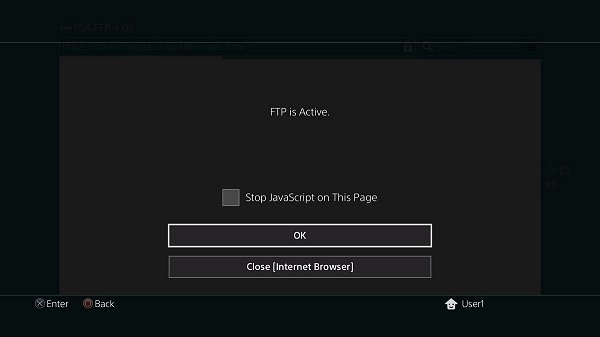
To quote from @XVortex's condensed guide on using GenGP4:
1) Turn on the console, insert disc (or run psn title), install all game patches;
2) Plug-in the USB stick, run the ps4-dumper payload (.bin or standalone);
3) Run your game, make sure to get main menu, minimize game (PS Button);
4) Wait till completion. When the process is finished the lights stop blinking
and console will shutdown automatically (it is normal, not a panic shutdown);
5) Turn on your console, remove disc, uninstall the game (for further testing);
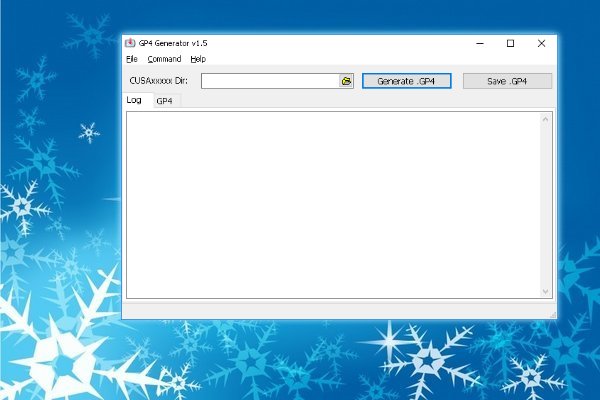
6) On PC: Plug-in the USB Stick, then open gengp4.exe, point into CUSAxxxxx dir
and press Generate .GP4, You should get the 'Done.', then press Save .GP4;
7) Open .gp4 in the orbis-pub-gen and build .pkg file
(You can get the orbis-pub-gen tool via PKG_Fake_Generator);
8) Run PS4HEN payload, install and test your .pkg;
9) Enjoy.
Download: gengp4.exe / gengp4.zip (641 KB) / ps4-dumper.bin / GIT
To quote: "No more .pkg extraction, .pfs extraction, file merging etc. FTP server dumps the game to HDD folder, then gp4gen sanitizes this folder and generates the .gp4."
To quote from @XVortex's condensed guide on using GenGP4:
1) Turn on the console, insert disc (or run psn title), install all game patches;
2) Plug-in the USB stick, run the ps4-dumper payload (.bin or standalone);
3) Run your game, make sure to get main menu, minimize game (PS Button);
4) Wait till completion. When the process is finished the lights stop blinking
and console will shutdown automatically (it is normal, not a panic shutdown);
5) Turn on your console, remove disc, uninstall the game (for further testing);
6) On PC: Plug-in the USB Stick, then open gengp4.exe, point into CUSAxxxxx dir
and press Generate .GP4, You should get the 'Done.', then press Save .GP4;
7) Open .gp4 in the orbis-pub-gen and build .pkg file
(You can get the orbis-pub-gen tool via PKG_Fake_Generator);
8) Run PS4HEN payload, install and test your .pkg;
9) Enjoy.



