
You are using an out of date browser. It may not display this or other websites correctly.
You should upgrade or use an alternative browser.
You should upgrade or use an alternative browser.


I started modding on the xbox 360 back in the day. I then started to make my own tools and plugins. Since ps4 is the next best thing im here now, creating mods for that console.
PS4 Community Trainer Update 2.0.0.0 with New UI by DeathRGH
Following my PS4 Source Community Trainer which allows users to submit game cheats, here is PS4 Community Trainer Update version 2.0.0.0 featuring a new UI (User Interface) followed by v2.1.0.0 and Image Pack below!
New in version 2.0.0.0:
Spoiler: Depreciated
Some images are never loading?
-> Download the image pack below!
Image Pack (25th Nov 2018):
 Make sure to join our Discord server so you don't miss any updates!
You will also get support in the discord server if you need any help with the trainer, and feel free to check out my YouTube Channel as well.
PS4 Community Trainer | Host Your OWN Trainer ONLINE!
New in version 2.0.0.0:
- Converted Trainer to WPF
- New UI Design
- Faster Loading
- Search Function Added
- Fully Resizeable
- Offline Mode Added!
- Bug fixes
Spoiler: Depreciated
Some images are never loading?
-> Download the image pack below!
Image Pack (25th Nov 2018):
- ImagePack_25_11_2018.zip (38.5 MB)
Make sure to join our Discord server so you don't miss any updates!You will also get support in the discord server if you need any help with the trainer, and feel free to check out my YouTube Channel as well.
PS4 Community Trainer | Host Your OWN Trainer ONLINE!
PS4 Source Community Trainer by DeathRGH
Following some PS4 Game-Modding Offsets, my PS4 Toolbox updates, PS4 TUCE and the PS4 Trainer Tool Payload recently @Weysincha saw one of @Shiningami's old projects of a dynamic trainer for PS4. It was still in a really early state of development and not quite functional yet.
@Weysincha asked me to create a new project like that and here we are now. We put together a community trainer to which people can submit cheats for any game and they are tested in a small team. If there are no issues with the cheats, they are added to the trainer, giving credit to the original cheat creator.
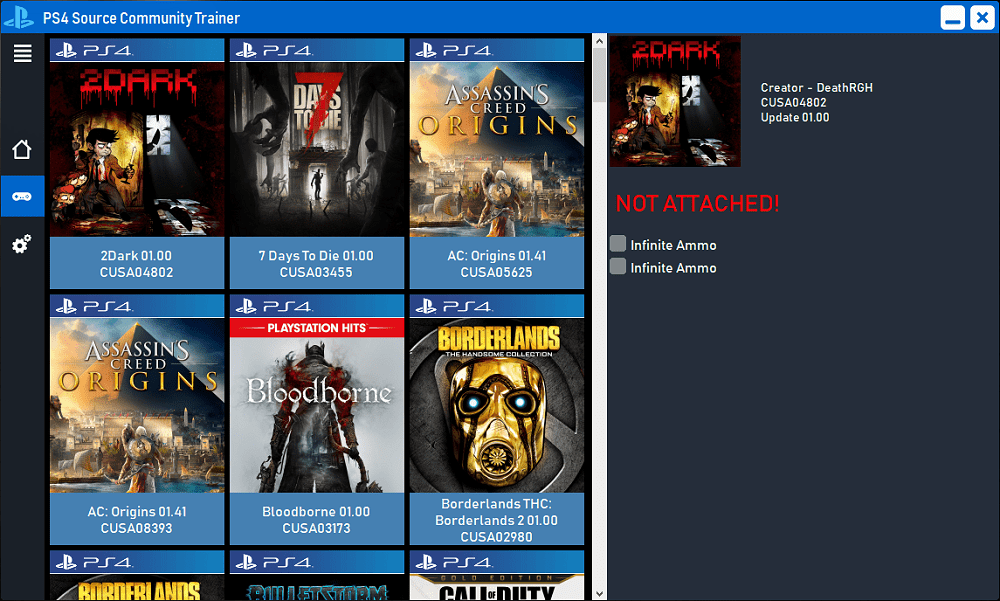
Whats so special about that community trainer ?
All of the cheat information is stored on a server and can be updated in real time.
That means we can add cheats for a game and every user can instantly see that game and start cheating on it, without downloading any updates!
Getting Started
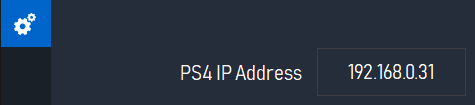
1. Change the ip address in the settings tab to your ps4 ip address.
2. Load up a .bin loader on your ps4 console and inject the payload in the sidebar menu.
3. Load hen (homebrew enabler) if you plan to use this with fake packages.
4. Click on the trainer tab in the sidebar and the trainer information will be downloaded.
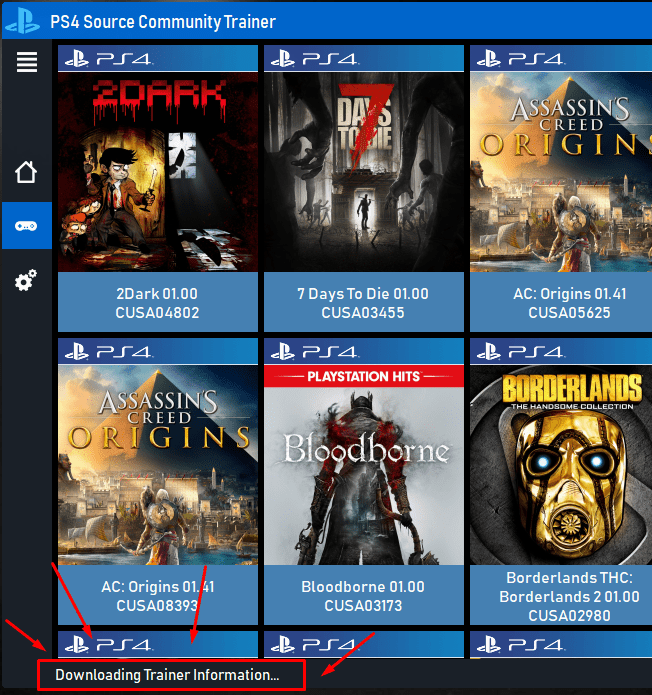
This step can take a bit longer if you do this for the first time. The images are saved locally and the next time you load the trainer list, it will be a lot faster.
5. Select the game you want to cheat on and have some fun!
Make sure to join our Discord server so you don't miss any updates!
You will also get support in the discord server if you need any help with the trainer.
Download
@Weysincha asked me to create a new project like that and here we are now. We put together a community trainer to which people can submit cheats for any game and they are tested in a small team. If there are no issues with the cheats, they are added to the trainer, giving credit to the original cheat creator.
Whats so special about that community trainer ?
All of the cheat information is stored on a server and can be updated in real time.
That means we can add cheats for a game and every user can instantly see that game and start cheating on it, without downloading any updates!
Getting Started
1. Change the ip address in the settings tab to your ps4 ip address.
2. Load up a .bin loader on your ps4 console and inject the payload in the sidebar menu.
3. Load hen (homebrew enabler) if you plan to use this with fake packages.
4. Click on the trainer tab in the sidebar and the trainer information will be downloaded.
This step can take a bit longer if you do this for the first time. The images are saved locally and the next time you load the trainer list, it will be a lot faster.
5. Select the game you want to cheat on and have some fun!
Make sure to join our Discord server so you don't miss any updates!
You will also get support in the discord server if you need any help with the trainer.
Download
- PS4 Source CT - 1.0.3.0.zip (1.2 MB)
PS4 Toolbox Updated for PlayStation 4 by DeathRGH
Following to several previews and after a few issues with my isp, I will finally release what I have been working on. The PlayStation 4 Toolbox features a few basic tools such as a peek poker or a notification tool.
It should be straight forward on how to use most of the tools, although there are some features hiding in right-click menus. Here is a PS4 How to Enable Dev Menus Manually tutorial also.
Getting Started
I will probably add more information on how to use this whole toolbox.
Other things to mention:
Spoiler: Results
It should be straight forward on how to use most of the tools, although there are some features hiding in right-click menus. Here is a PS4 How to Enable Dev Menus Manually tutorial also.
Getting Started
- Set the ip in the "Settings.ini" file in the tool folder to your PS4 ip.
- Set your desired firmware version in the "Settings.ini" file (4.05 and 4.55 supported).
- Launch the tool and click "Inject Payload". Leave the port on 9020.
I will probably add more information on how to use this whole toolbox.
Other things to mention:
- This entire tool is based of goldens jkpatch.
- Everything in this release has only been tested on 4.55 but should work 99% on 4.05 aswell.
- The tool is running an connection test on startup. If you have issues with it detecting the payload as injected although it isn't, disable this check. You can do that by setting the "TestConnectionOnStartup" to "0" in the "Settings.ini" file in the tool folder.
- If you are looking to add more weapons for the bo3 zombie tool: The weapon list are located in the tool folder under "\gametools\bo3\weaponlists". You can refresh the lists at runtime by right-clicking the map selection. You can also add ned files and name them whatever you want. It will read all *.txt files.
- For adding new weapon lists for not yet featured bo3 zombie maps, add around 200 lines of "n/A" in the desired file. It does read each line in the file as an id starting with 1. You can the add in the weapons you get for the selected line to the file and save it. Selecting a new entry in the weapon list will the refresh the names at runtime.
Spoiler: Results
PlayStation 4 Tool to Inject PS4 Game Mod Payloads by DeathRGH
Hey guys, since a lot of ppl have issues with injecting payload, peeking memory or saving it to a dump file, I have created a small tool for you.
It also has a few game mods for Modern Warfare Remastered, Infinite Warfare, Black Ops 3 and Ghosts. Advanced Warfare isn't added yet.
The payload also includes PS4HEN for all the games
Download: PlayStation 4 Tool by DeathRGH / Scan / GIT
Setup:
Select a save location and specify a name (doesn't need to have a file extension).
Known Issues:
A few pictures of the tool:
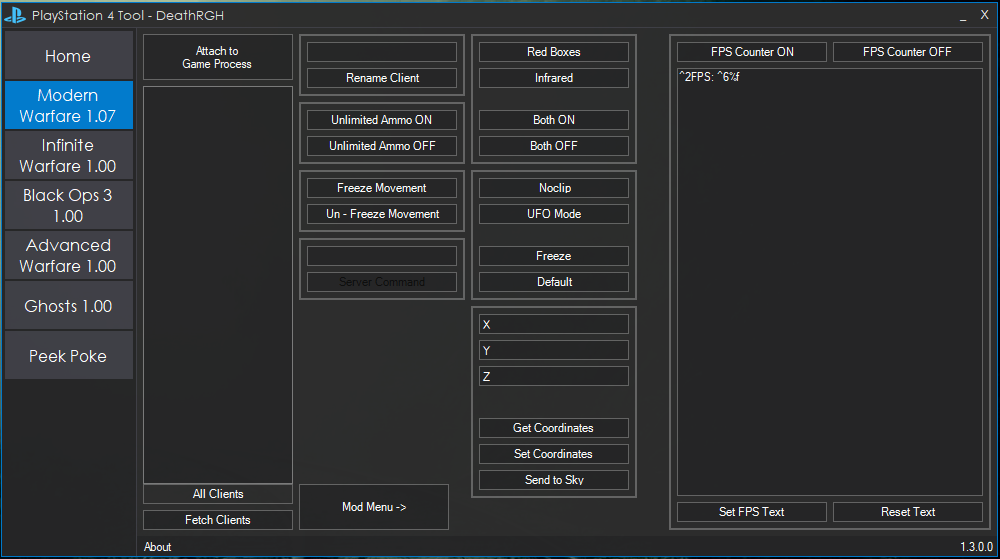
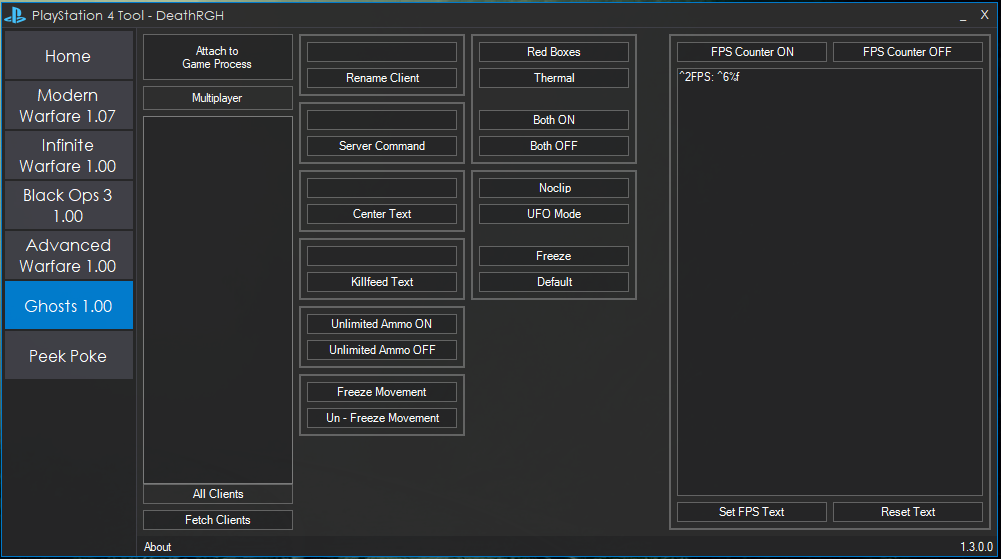
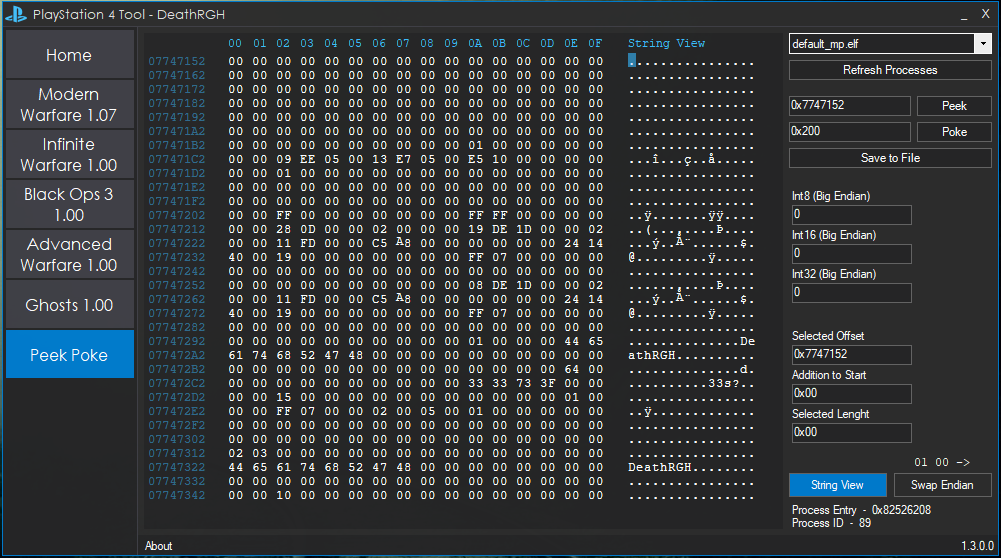
Pictures of the MWR mod menu:
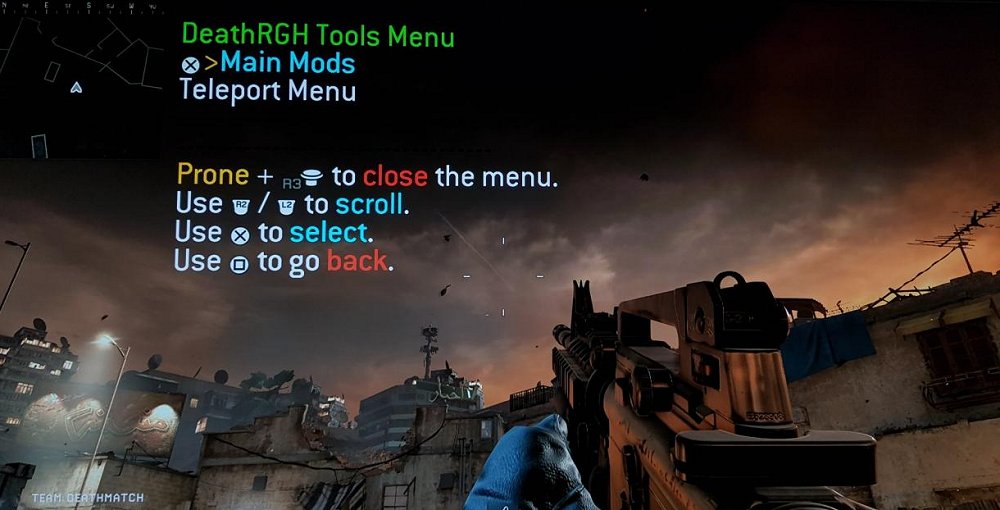
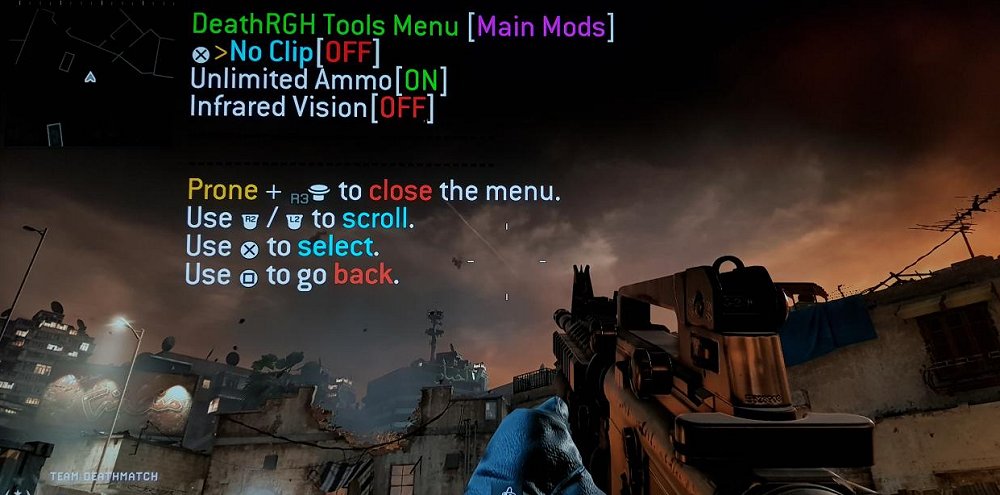
Changelog:
1.5.0.0
Tool and payload updated to 4.55. Please note that the cod ghost tool and notifys are only available on 4.05 for now!
It also has a few game mods for Modern Warfare Remastered, Infinite Warfare, Black Ops 3 and Ghosts. Advanced Warfare isn't added yet.
The payload also includes PS4HEN for all the games
Download: PlayStation 4 Tool by DeathRGH / Scan / GIT
Setup:
- Load up a payload loader webpage on your PS4 (specter seems to work best).
- Edit the IP in "ip.txt" to your PS4's IP.
- Open the tool and click "Send Payload" on the home tab.
- If you don't see any message boxes pop up and the red text on the right changes to green and says "Payload injected successfully!" it worked.
- Exit the web browser / user guide with the PS button and launch a game of your choice.
- Click the "Attach to Game Process" button once on the game.
- Start using the options.
- Click the "Refresh Processes" button.
- Select the process you want to read from / write to.
- Click "Peek".
- Make your changes.
- Click "Poke".
Select a save location and specify a name (doesn't need to have a file extension).
Known Issues:
- Integer conversation for the peek poking section isn't working for big endian.
- If payload injection fails, it notifies you but still says injected in the end.
- Memory changes don't highlight in the hex box.
A few pictures of the tool:
Pictures of the MWR mod menu:
Changelog:
1.5.0.0
Tool and payload updated to 4.55. Please note that the cod ghost tool and notifys are only available on 4.05 for now!
- temporary disabled notifys for 4.55 (general)
- added firmware selector (general)
- ui improvements/changes (general)
- added more tab controls...
- PS4 Fake PKG (FPKG) Sharing Guide
- 6.XX Webkit / 6.72 PS4 Jailbreak
- 7.00-7.02 Webkit Exploit
- 7.02 Webkit / 7.02 Kernel / PS4JB
- 7.50 Kernel Exploit / PS4JB 7.55
- 7.55 / 8.00 Payloads / PS4JB2 7.55
- 9.00 PS4 Webkit Exploit
- 9.00 PS4 Payloads / GoldHEN (Latest)
- 9.00 PS4 Jailbreak Kernel Exploit
- 11.00 PS4 Jailbreak Kernel Exploit
- 13.00 PS4 Kernel Exploit / 13.02 BD-J Bug
- 4.03 PS5 Webkit Exploit
- PS5 Kernel Exploit (ExFAT Bug)
- PS5 Root Keys Obtained
- 4.03 PS5 Kernel Build String
- 4.03 PS5 Webkit Execution
- 4.03 PS5 Kernel Vulnerability
- 4.03 PS5 Filesystem Dumps
- 4.51 PS5 BD-JB Sandbox Escape
- PS5 BD-JB Exploit Hack Source Code
- Mast1c0re PS5 Userland Exploit
- PS5 Kernel Access via PS4 Exploit
- PS5 exFAT Vulnerability Disclosed
- 4.03 PS5 Kernel Exploit Webkit ROP
- 4.50 PS5 Kernel Exploit Webkit ROP
- 4.51 PS5 Kernel Exploit Webkit ROP
- 4.xx PS5 Kernel Exploit v1.01
- 4.xx PS5 Kernel Exploit v1.02 / v1.03
- PS5 1.00-6.50 Firmware Webkit
- Native PS5 ROP Chain Execution
- Mast1c0re PS5 Compiler Attack
- PS5 FreeBSD Kernel Bug & WebKit
- PS5 UMTX 2 Exploit & PS5 Jailbreak
- Byepervisor PS5 Hypervisor Exploit
- Lua Lapse PS5 Kxploit & Laps3c0re / Y2JB
- 12.00 / 12.70 PS5 Kernel Exploit