I will post this as a separate thread from the PS4 PKG2USB as the 2 payloads vary and it saves confusion.
Original Post: I was playing around with the ext0 mount and recreating the file structure that would be there if the pkg was installed to external storage.
There is a trick I found where if you copy the CUSAXXXXX folder from /user/app to /mnt/ext0/user/app and then unplug the hdd and plug it back in it causes the ps4 to do a repair and then the game is recognized as installed on external storage and from there there are other issues.
BUT with the great work SiSTRo has done in PKG2USB with the symlinks its a lot easier to manage with exfat and just normal USB.
So building on his PKG2USB and symlinks I modified what I was working on for the ext0 mount to work with the usb0 or usb1 and symlinks.
Downloads:
 Changlog via dbsuarez
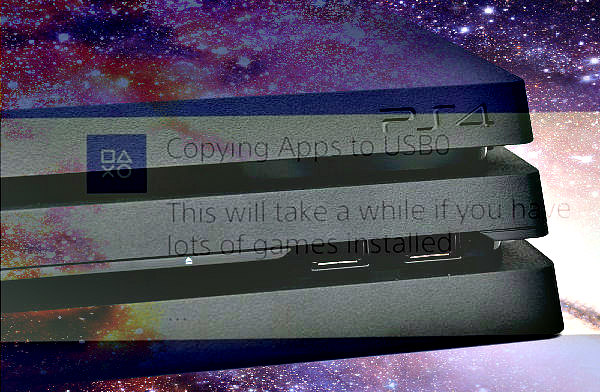
This payload searches the entire /user/app folder and copies all installed fpkg games to usb from the system drive and creates the symlinks like SiSTRo has kindly shown us the ability to do.
If you want to target a single game not the whole folder use PKG2USB.
If you install more games just run the payload again and it will copy any new games to the USB and so on.
With symlinks you are making a link to a directory so you want to pick which USB port to have the hdd on and keep it on that same port or the links will point to the wrong directory. USB0 is what I use.
Thanks again to SiSTRo, xVortex, Anonymous, CelesteBlue!
PS4 JAILBREAK 5.05 How To Use APP2USB by seanp2500
Running PS4 Games From a USB with App2USB (5.05 Jailbreak)
Download: app2usb.rar (726 Bytes - configured to export app+update+dlcs to external disc, includes app2usb.ini)
Original Post: I was playing around with the ext0 mount and recreating the file structure that would be there if the pkg was installed to external storage.
There is a trick I found where if you copy the CUSAXXXXX folder from /user/app to /mnt/ext0/user/app and then unplug the hdd and plug it back in it causes the ps4 to do a repair and then the game is recognized as installed on external storage and from there there are other issues.
BUT with the great work SiSTRo has done in PKG2USB with the symlinks its a lot easier to manage with exfat and just normal USB.
So building on his PKG2USB and symlinks I modified what I was working on for the ext0 mount to work with the usb0 or usb1 and symlinks.
Downloads:
- 455 Source GIT
- 405 Source GIT
- AppToUsb 5.05 (Latest Release)
- AppToUsb 4.55 (Latest Release)
- AppToUsb 4.05 (Latest Release)
- PS4 App2USB (Scene Collective)
Changlog via dbsuarezThis payload searches the entire /user/app folder and copies all installed fpkg games to usb from the system drive and creates the symlinks like SiSTRo has kindly shown us the ability to do.
If you want to target a single game not the whole folder use PKG2USB.
If you install more games just run the payload again and it will copy any new games to the USB and so on.
With symlinks you are making a link to a directory so you want to pick which USB port to have the hdd on and keep it on that same port or the links will point to the wrong directory. USB0 is what I use.
Thanks again to SiSTRo, xVortex, Anonymous, CelesteBlue!
PS4 JAILBREAK 5.05 How To Use APP2USB by seanp2500
Running PS4 Games From a USB with App2USB (5.05 Jailbreak)
Download: app2usb.rar (726 Bytes - configured to export app+update+dlcs to external disc, includes app2usb.ini)