
Category PS4 Guides and Tutorials       Thread starter Thread starter PSXHAX       Date / timeStart date Jan 27, 2018 at 4:01 AM       Replies 714      
Status
Not open for further replies.
Today PlayStation 4 developer @XVortex kicked us out of the kitchen by announcing that his PKG Kitchen is no longer needed, and introduced his latest GP4 Generator all-in-one utility called GenGP4 which combined with the FTP server is everything you need to dump PlayStation 4 games including a more reliable tree-decrypting method alongside shorter instructions below! :D

Download: gengp4.exe / gengp4.zip (641 KB) / ps4-dumper.bin / GIT

To quote: "No more .pkg extraction, .pfs extraction, file merging etc. FTP server dumps the game to HDD folder, then gp4gen sanitizes this folder and generates the .gp4."
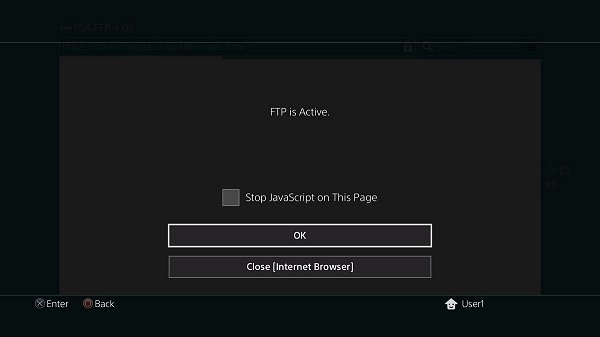
GP4Gen (Replaces PKG Kitchen) by XVortex, PS4 FTP via Webpage.jpg

To quote from @XVortex's condensed guide on using GenGP4:

1) Turn on the console, insert disc (or run psn title), install all game patches;
2) Plug-in the USB stick, run the ps4-dumper payload (.bin or standalone);
3) Run your game, make sure to get main menu, minimize game (PS Button);
4) Wait till completion. When the process is finished the lights stop blinking
and console will shutdown automatically (it is normal, not a panic shutdown);
5) Turn on your console, remove disc, uninstall the game (for further testing);
6) On PC: Plug-in the USB Stick, then open gengp4.exe, point into CUSAxxxxx dir
and press Generate .GP4, You should get the 'Done.', then press Save .GP4;
7) Open .gp4 in the orbis-pub-gen and build .pkg file
(You can get the orbis-pub-gen tool via PKG_Fake_Generator);
8) Run PS4HEN payload, install and test your .pkg;
9) Enjoy.
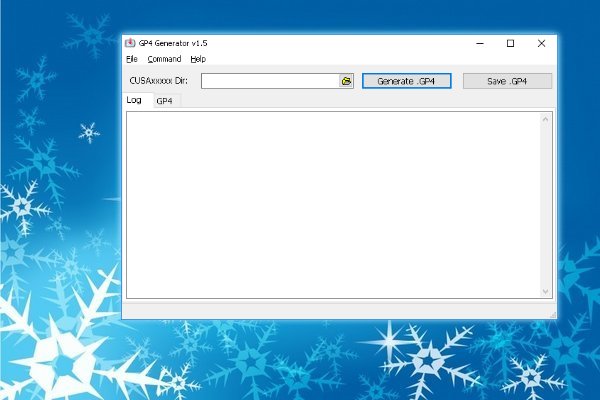
GenGP4 (Replaces PKG Kitchen) by XVortex, PS4 FTP via Webpage.jpg
 

Comments

I'm trying to make a backup of Nioh and keep getting "Cannot start application e-ffffffff". Dumped it twice and both times it gave the same result, any help?
 
@HK31 Fixed it. I had the default app for .gp4 files set to the official untouched orbis-pub-gen instead of cfwprophet's version. The log alone should have been a dead giveaway in-front of my face that I was using the wrong one, but I've stopped looking at it after having made so many pkgs.
 
I was one of the people who couldn't run the dumper v1.7 via web (wifi usb stick) with the actual files from xvortex git.

So I searched the web for lots of exploit files and at the end I found a working combination.
here are my files which work for me without trouble on my 4.55 pro.

Spoiler

Before I spend nights to get past the "welcome" screen. I hope this helps people with the same problem I had.

Maybe its also interesting for al azif? Last time I visited his git, I read on his latest release that "web dumper doesn't really work" iirc.
 
Just to be honest regarding to my released files: I just tried to dump another two games for testing and.... at first it didnt work after welcome screen... again....

Tonight it dumped flawlessly 3 of my HEN games in a row (first I run Hen exploit, then I started game, then I started dumper and switched back ingame via ps button). Maybe I just had luck :(

but after a reboot I tried it again and suddenly the dumper v1.7 started working ... So still no final solution because its not as reliable as v1.6 but at least it dumps games sometimes. Too bad but at least its better then before for me. But maybe someone else gives it a try (in combination with some restarts). Now I understand al azif' note on git ("dumper doesn't really work"). Sorry for making people wrong hopes.

Additional post with a functional workaround
:

I just realized that my provided files will start dumping much more reliable (10 of 10 times!) when following this steps properly:
  • usb stick already insert in left port
  • launch game until you are ingame
  • press ps button for reaching ps main menu
  • launch dumper exploit via web browser
  • (Important!) when it claims "You're all set" and the welcome screen appears you just have to wait a little bit more while still in browser and it should start the dumping process
It seems to be VERY important that it shows "You're all set" AND the welcome screen, otherwise it won't dump. When only the welcome screen appears, ignore it and relaunch the dumper exploit again until it shows both messages.

Now i hope other user can test my files and this step-by-step guide to tell me if it runs on their machines or not.
 
@Sashka - Thanks for the files! I started to diff out between what you uploaded and xvortex actually GIT files. Seems like placing the index.html, kernel.js, and syscalls.js from yours to xvortex gets things working. I left the userland.js from xvortex alone since it has qwerty's stable fix. I was able to get the dumper to see my game being copied but as soon as I press my PS button, it locked up.

From what I understand, it has something to do with the loader.js file that xvortex created for the 4.55 dumper release. I don't have time to mess with too much tonight, but I wonder if I need to pull the values from payload.js to loader.js and the web dumper might work perfectly. Again, thanks for your upload.
 
Status
Not open for further replies.
Back
Top
