
Just over a week ago we heard rumors of accessing the PS4 Debug Mode Settings on retail PlayStation 4 consoles, and today scene developer CTurt confirmed it's now possible to access the PS4 Dev Menu on 1.76 retail units thanks to Flat_z! 
Download: Enable Dev Menu / PS4-dlclose.zip / PS4-debugmenu.bin (1.0 MB Compiled) via fx0day / PS4-debugmenu.bin (1.0 MB Compiled) via Di_Scala_ / Tutorial by Chaos Kid / PS4-dlclose GIT
From Stuart Fox via Facebook comes a video demo also.
 Update: From lezek20 also comes code to enable the more advanced debug menu (dlclose.bin (1.00 MB) compiled by ultradogg), to quote:
Just add it into the kernel payload before this part:
 This could brick your console btw, so be careful!
Update #2: From @j0lama with help from @sealab (Demo video: jgoake.mp4 - 43 MB) via Twitter:
Download: Fully-Enable-Debug-Settings.bin (1 MB)
Thanks to B7U3 C50SS and GrimDoe in the Shoutbox for the heads-up! 
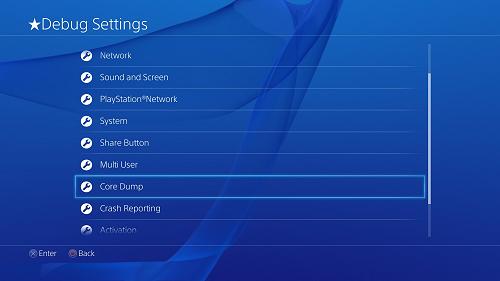
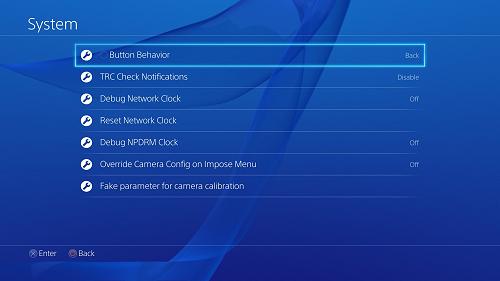
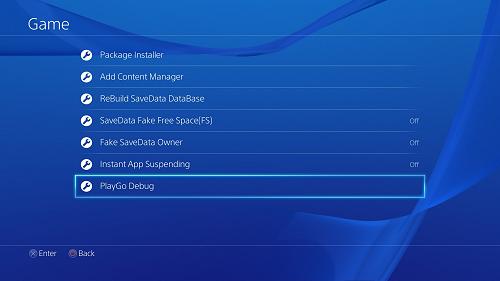
Download: Enable Dev Menu / PS4-dlclose.zip / PS4-debugmenu.bin (1.0 MB Compiled) via fx0day / PS4-debugmenu.bin (1.0 MB Compiled) via Di_Scala_ / Tutorial by Chaos Kid / PS4-dlclose GIT
From Stuart Fox via Facebook comes a video demo also.
Update: From lezek20 also comes code to enable the more advanced debug menu (dlclose.bin (1.00 MB) compiled by ultradogg), to quote:
Code:
*(char *)0xFFFFFFFF833242FD = 0x81;
Code:
writeCr0(cr0);Download: Fully-Enable-Debug-Settings.bin (1 MB)
Code:
Fully enable Debug Settings:
*(uint32_t*) 0xFFFFFFFF8269C07Cull=0;
*(uint32_t*) 0xFFFFFFFF8269B56Full=0;


