PSXHAX.COM website and domain for sale. Contact Us with your offer!

You are using an out of date browser. It may not display this or other websites correctly.
You should upgrade or use an alternative browser.
You should upgrade or use an alternative browser.
PS4 3.55 File Browser by TheoryWrong
PS4 3.55 FileManager
So recently we had major massive news for the PS4 Jailbreak Scene for the Firmware on 3.55 with the PS4 3.55 playground and module Dumps
But not long ago, But only just 4 hours ago TheoryWrong Posted his File Manager Browser for the 3.55 Firmware
!____ Information ____!
|Read file system of PS4 in 3.55 |
| Upload Files to PS4 System |
|___________________________|
PS4 Certificate And Playstation Core Has been Downloaded for 3.55
Will be Coding the File manager in to my PSPlayground and Putting it Live Soon.
Spoiler: MrV1rus 3.55 File Manager Change Log
@Lucii YouTube Video:
Big Thanks to @Lucii for informing me about this new Tool

Spoiler: Images
MrV1rus Edited Download: https://github.com/MrV1rusYT/PS4-3.55-File-Manager-MrV1rus
Original Updated Download: https://github.com/theorywrong/PS4FileBrowser
Note: Reuploaded By Me, Made by TheoryWrong
Spoiler: Notes!!
HENkaku PS4 Exploit Update for 3.15 / 3.50 PlayStation 4 Firmware
Just over a week back we reported on the 3.55 PS4 HENkaku Exploit, and since then PlayStation 4 developer Fire30 has been updating Github with FireKaku PS4 ports for both 3.15 and 3.50 Firmware as well. 
Download: PS4-3.55-Code-Execution-PoC-master.zip / GIT / WhiteOverfl0w GIT
From the ReadMe file: PS4 3.55 Code Execution:
This repo contains a PoC for getting code execution on ps4's with firmware version 3.55 (Now with support for 3.15 and 3.50).
It uses the same webkit vulnerability as the henkaku project. So far there is basic ROP working and returning to normal execution is included.
I have also included some helper methods to make researching a tad easier. Currently the documentation is pretty poor but I will be updating it over time.
Usage:
You need to edit the dns.conf to point to the ip address of your machine, and modify your consoles dns settings to point to it as well. Then run:
then
Debug output will come from this process.
Navigate to the User's Guide page on the PS4 and information about the exploit and all loaded modules should be printed out. This is an example of what running it will look like: https://gist.github.com/Fire30/2e0ea2d73d3a1f6f95d80aea77b75df8
If you want to try the socket test to work. Change the IP address at the bottom of ps4sploit.html to your computers and run a command such as netcat -l 0.0.0.0 8989 -v. You should see something like:
There are a few notes:
Download: PS4-3.55-Code-Execution-PoC-master.zip / GIT / WhiteOverfl0w GIT
From the ReadMe file: PS4 3.55 Code Execution:
This repo contains a PoC for getting code execution on ps4's with firmware version 3.55 (Now with support for 3.15 and 3.50).
It uses the same webkit vulnerability as the henkaku project. So far there is basic ROP working and returning to normal execution is included.
I have also included some helper methods to make researching a tad easier. Currently the documentation is pretty poor but I will be updating it over time.
Usage:
You need to edit the dns.conf to point to the ip address of your machine, and modify your consoles dns settings to point to it as well. Then run:
Code:
python fakedns.py -c dns.conf
Code:
python server.pyNavigate to the User's Guide page on the PS4 and information about the exploit and all loaded modules should be printed out. This is an example of what running it will look like: https://gist.github.com/Fire30/2e0ea2d73d3a1f6f95d80aea77b75df8
If you want to try the socket test to work. Change the IP address at the bottom of ps4sploit.html to your computers and run a command such as netcat -l 0.0.0.0 8989 -v. You should see something like:
Code:
Listening on [0.0.0.0] (family 0, port 8989)
Connection from [192.168.1.72] port 8989 [tcp/sunwebadmins] accepted (family 2, sport 59389)
Hello From a PS4!- The exploit is not 100% reliable currently. It is more like 80% which is good...
PS4 Playground for Firmware 3.55 (WIP) by Specter
PS4 3.55 Playground
Here you will find various interesting tools and scripts that can be utilized right from your PS4’s web browser. Due to this site depending on WebKit Exploits and javascript ROP, this site will not work on all firmwares.
This Playground was created by Specter (@SpecterDev) with help from Red-EyeX32.
Updated Version 1.1 Includes:
- Basic Information - Firmware Version, Webkit Version and also WebKit Process ID
- Basic Evaluation
- Technical + Module Evaluation
Updated Version 1.2 Includes:
- Added ability to dump memory to a .bin file
- Added functions thanks to Xerpi for managing the stack/memory, reading, writing
- "Technical + Module Evaluation" has now been changed to "Full Evaluation" as it can now fetch the PID as well as the module list.
- Modules now show more information than before
- Fixed minor bugs
As noted in the readme: "You may also get two different PID's in succession when running Basic Eval, this is because WebKit is actually split into two processes. For more information, check out CTurt's article "Introduction to PS4's security, and userland ROP".
Here's the link to the 3.55 WebKit Exploit Website:
Spoiler
(This link is also used for the other Web-kit exploits for other previous and possible future Web-kit Exploits for PS4)
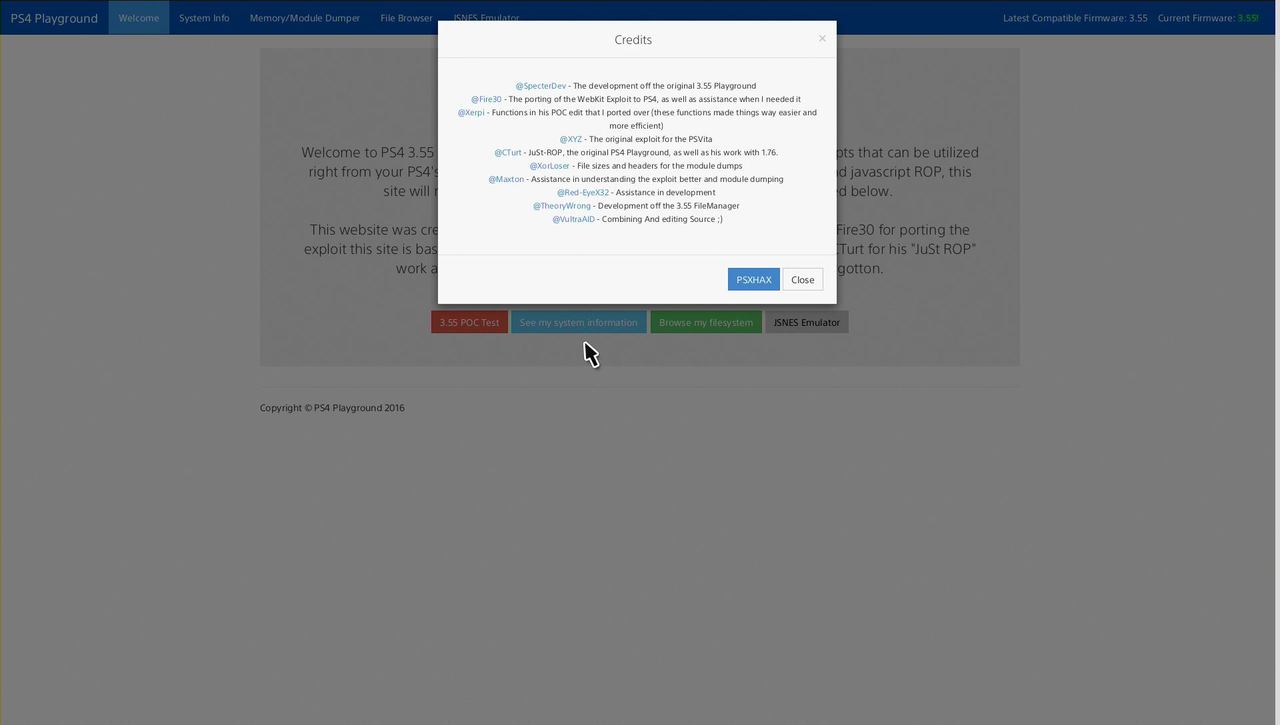
All In one Playground Now Added To Downloads
Features:
* FileManager
* POC Test
* System Information
* Memory/Module Dumper
* JSNES Emulator
Spoiler: Modules Comparison
Spoiler: Downloads
Here's the link to the 3.55 WebKit Exploit Website:
Spoiler
(This link is also used for the other Web-kit exploits for other previous and possible future Web-kit Exploits for PS4)
All In one Playground Now Added To Downloads
Features:
* FileManager
* POC Test
* System Information
* Memory/Module Dumper
* JSNES Emulator
Spoiler: Modules Comparison
Spoiler: Downloads
PS4 HENkaku Exploit: PlayStation 4 3.55 Code Execution by Fire30!
Following the initial release, decryption tutorials and reverse-engineering, PlayStation 4 developer Fire30 (who did the PS4 Webkit Exploit 2.XX PoC) has ported the PlayStation 4 HENkaku exploit allowing PS4 3.55 code execution! 
Download: PS4-3.55-Code-Execution-PoC-master.zip / GIT
Spoiler: Related Tweets
From atreyu187 come some additional details on this HENkaku PS4 port as follows:
"This is only a userland code execution. This is nothing like dlclose or BADIret. We still need an exploit to reach 1.76 level of hacks. Both just mentioned have been patched out of FreeBSD and CTurt has been working with FreeBSD devs to fix the OS making it that much harder. We have had this access opened up in 3.50 already that the WebKit has lead nowhere."
Thanks to @B7U3 C50SS and @Plankton in the Shoutbox and @mcmrc1 in the Forums for sharing the news!
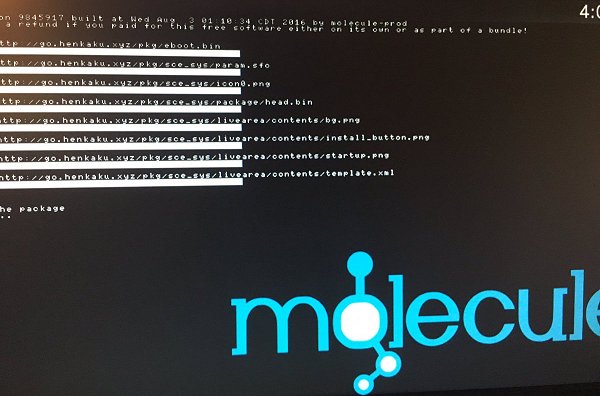
Download: PS4-3.55-Code-Execution-PoC-master.zip / GIT
Spoiler: Related Tweets
From atreyu187 come some additional details on this HENkaku PS4 port as follows:
"This is only a userland code execution. This is nothing like dlclose or BADIret. We still need an exploit to reach 1.76 level of hacks. Both just mentioned have been patched out of FreeBSD and CTurt has been working with FreeBSD devs to fix the OS making it that much harder. We have had this access opened up in 3.50 already that the WebKit has lead nowhere."
Thanks to @B7U3 C50SS and @Plankton in the Shoutbox and @mcmrc1 in the Forums for sharing the news!
PS4 DevKit / TestKit Root Kernel Dump on PC Demo by Esjonne12 Sda
Last year we saw a PS4 Kernel Exploit and List of PIDs followed by a PS4 Filesystem Root Dump and now PlayStation 4 hacker esjonne12 Sda shared a video of that PS4 DevKit / TestKit developer kernel dump running on a PC. 
To quote from jonttufin's posts on the demo video: I booted PS4 DevKit kernel on my PC
You remember that testkit root dump that leaked 2015 I ran that kernel on my PC
Sorry for crappy quality
To boot it download Test-Kit-FW-00.820-Root.rar (8.07 MB - Mirror) from somewhere on google, extract all folders inside adm folder to isolinux bootable usb stick overwrite isolinux.cfg, i used YUMI-2.0.2.6, if you use yumi you need to copy those files to /multiboot folder on usb, commands to run the kernel
1 configfile /multiboot/grub2_200
2 kfreebsd /multiboot/orbisys
3 kfreebsd_loadenv /multiboot/orbisys-root.cnf
4 kfreebsd_loadenv /multiboot/orbis.cnf
5 kfreebsd_loadenv /multiboot/orbis-itf.cnf
6 boot and now its booting.
ps it wont support ps2 keyboard
Also below is an older PlayStation 4 development system demo video for those interested:
Thanks to @mcmrc1 for the news tip in the PSXHAX Shoutbox!
To quote from jonttufin's posts on the demo video: I booted PS4 DevKit kernel on my PC
You remember that testkit root dump that leaked 2015 I ran that kernel on my PC
Sorry for crappy quality
To boot it download Test-Kit-FW-00.820-Root.rar (8.07 MB - Mirror) from somewhere on google, extract all folders inside adm folder to isolinux bootable usb stick overwrite isolinux.cfg, i used YUMI-2.0.2.6, if you use yumi you need to copy those files to /multiboot folder on usb, commands to run the kernel
1 configfile /multiboot/grub2_200
2 kfreebsd /multiboot/orbisys
3 kfreebsd_loadenv /multiboot/orbisys-root.cnf
4 kfreebsd_loadenv /multiboot/orbis.cnf
5 kfreebsd_loadenv /multiboot/orbis-itf.cnf
6 boot and now its booting.
ps it wont support ps2 keyboard
Also below is an older PlayStation 4 development system demo video for those interested:
Thanks to @mcmrc1 for the news tip in the PSXHAX Shoutbox!
- PS4 Fake PKG (FPKG) Sharing Guide
- 6.XX Webkit / 6.72 PS4 Jailbreak
- 7.00-7.02 Webkit Exploit
- 7.02 Webkit / 7.02 Kernel / PS4JB
- 7.50 Kernel Exploit / PS4JB 7.55
- 7.55 / 8.00 Payloads / PS4JB2 7.55
- 9.00 PS4 Webkit Exploit
- 9.00 PS4 Payloads / GoldHEN (Latest)
- 9.00 PS4 Jailbreak Kernel Exploit
- 11.00 PS4 Jailbreak Kernel Exploit
- 13.00 PS4 Kernel Exploit / 13.02 BD-J Bug
- 4.03 PS5 Webkit Exploit
- PS5 Kernel Exploit (ExFAT Bug)
- PS5 Root Keys Obtained
- 4.03 PS5 Kernel Build String
- 4.03 PS5 Webkit Execution
- 4.03 PS5 Kernel Vulnerability
- 4.03 PS5 Filesystem Dumps
- 4.51 PS5 BD-JB Sandbox Escape
- PS5 BD-JB Exploit Hack Source Code
- Mast1c0re PS5 Userland Exploit
- PS5 Kernel Access via PS4 Exploit
- PS5 exFAT Vulnerability Disclosed
- 4.03 PS5 Kernel Exploit Webkit ROP
- 4.50 PS5 Kernel Exploit Webkit ROP
- 4.51 PS5 Kernel Exploit Webkit ROP
- 4.xx PS5 Kernel Exploit v1.01
- 4.xx PS5 Kernel Exploit v1.02 / v1.03
- PS5 1.00-6.50 Firmware Webkit
- Native PS5 ROP Chain Execution
- Mast1c0re PS5 Compiler Attack
- PS5 FreeBSD Kernel Bug & WebKit
- PS5 UMTX 2 Exploit & PS5 Jailbreak
- Byepervisor PS5 Hypervisor Exploit
- Lua Lapse PS5 Kxploit & Laps3c0re / Y2JB
- 12.00 / 12.70 PS5 Kernel Exploit