
Today TheOfficialFloW aka theflow0 decided to publish PPPwn ahead of his Remote Vulnerabilities in SPP talk on CVE-2006-4304 (FreeBSD.org) at TyphoonCon 2024 next month, which is the first PlayStation 4 PPPoE (Point-to-Point Protocol over Ethernet) RCE (Remote Code Execution) Kernel Exploit supporting PS4 Firmware versions up to 11.00 OFW with @KIWIDOGGIE aka kd_tech_ passing along some 11.00 Offsets (Orbis110.hpp) that can help in reverse-engineering payloads crediting developer @Al Azif (fw_defines.h / payloads_1100_and_below.zip - 46.3 KB - includes ps4-app-dumper.bin, ps4-disable-updates.bin, ps4-fan-threshold.bin, ps4-ftp.bin, ps4-module-dumper.bin, ps4-permanent-uart.bin and ps4-todex.bin via @zecoxao aka notnotzecoxao) stage2.bin (11.2 KB) and additional payloads (module_dumper.bin - 10.7 KB, permanent_uart.bin - 6.84 KB, pup_decrypter.bin - 16.8 KB, update_blocker.bin - 5.48 KB - rename to payload.bin and put on USB) and Enable Debug Menu Settings and FPKG patches (stage2_10.00.bin - 10.9 KB, stage2_10.01.bin - 10.9 KB, stage2_11.00.bin - 10.9 KB - rename file to stage2.bin and put in the stage2 folder) via @LightningMods aka LightningMods_ with Pull Requests for Ports spanning 7.00, 7.01, 7.02, 7.50, 7.51, 7.55, 8.00, 8.01, 8.03, 8.50, 8.52, 9.00, 9.03, 9.04, 9.50, 9.51, 9.60, 10.00, 10.01, 10.50, 10.70, 10.71 and 11.00. 
While PS5 Firmware versions up to 8.20 OFW were confirmed as vulnerable to CVE-2006-4304 by theflow0 previously, according to @CrazyVoid on Twitter, "what flow released is for PS4. the PS5 is different then PS4, it might not be able to be exploited the same way" with @SpecterDev elaborating on Twitter, "Since I've seen a lot of ppl asking about it, theflow's latest RCE won't easily be adapted to PS5. PS4 is much weaker in terms of mitigations which played a part in allowing a remote exploit w/o userland code execution. PS5 is different. SMAP+CFI make this much harder to do."
He went on to state via Twitter, "XOM also plays a role, even if CFI were a non-issue, you can't easily get gadgets to ROP with either. It might not be impossible but a new strategy would be needed and you'd need to go for R/W. You'd also likely need userland code exec. I wouldn't expect anything soon.."
Download PPPwn PS4 Payloads and Variants:
 Additional PlayStation 4 Homebrew / Payload Updates for 11.00 PS4 Firmware:
PPPwn is a kernel remote code execution exploit for PlayStation 4 upto FW 11.00. This is a proof-of-concept exploit for CVE-2006-4304 that was reported responsibly to PlayStation.
Supported versions are:
Requirements
On your computer, clone the repository:
Change the directory to the cloned repository:
Install the requirements:
Compile the payloads:
For other firmwares, e.g. FW 9.00, pass FW=900.
DO NOT RUN the exploit just yet (don't press Enter yet) but prepare this command on your prompt (see ifconfig for the correct interface):
For other firmwares, e.g. FW 9.00, pass --fw=900.
On your PS4:
If the exploit fails or the PS4 crashes, you can skip the internet setup and simply click on Test Internet Connection. Kill the pppwn.py script and run it again on your computer, and then click on Test Internet Connection on your PS4: always simultaneously.
If the exploit works, you should see an output similar to below, and you should see Cannot connect to network. followed by PPPwned printed on your PS4, or the other way around.
If the exploit works, you should see an output similar to below, and you should see Cannot connect to network. followed by PPPwned printed on your PS4.
Example run
Notes for Mac Apple Silicon Users (arm64 / aarch64)
The code will not compile on Apple Silicon and requires amd64 architecture. There is a workaround using docker which will build the bin files required. Clone this repository to your mac system, then from the repo folder run ./build-macarm.sh. This will build the binaries for PS4 FW 1100 and place the necessary files into the correct folders.
To build the binaries for a different version, i.e. 900, run the command as such: ./build-macarm.sh 900. Once built, copy this folder structure into the Linux VM and execute as instructed above.This has been tested using VMware Fusion 13.5.1, with the VM Guest as Ubuntu 24.04, and the host machine is MacOS 14.4.1
Notes for GoldHEN version
This loader only supports payloads with a kernel entrypoint. The custom version of stage2 first looks for the payload in the root directory of the USB drive, and if found, it is copied to the internal HDD at this path: /data/GoldHEN/payloads/goldhen.bin. The internal payload is then loaded and is no longer needed on the external USB drive. At the moment, only firmware versions 9.00, 10.00, 10.01 and 11.00 are supported. Other versions like 9.60 will also be supported.
Reminder: All GoldHEN related issues, updates, etc go in the ongoing discussion topic for it:
Spoiler: Related Tweets, Videos, Opcode Offsets & ROPGadget Gadgets
While PS5 Firmware versions up to 8.20 OFW were confirmed as vulnerable to CVE-2006-4304 by theflow0 previously, according to @CrazyVoid on Twitter, "what flow released is for PS4. the PS5 is different then PS4, it might not be able to be exploited the same way" with @SpecterDev elaborating on Twitter, "Since I've seen a lot of ppl asking about it, theflow's latest RCE won't easily be adapted to PS5. PS4 is much weaker in terms of mitigations which played a part in allowing a remote exploit w/o userland code execution. PS5 is different. SMAP+CFI make this much harder to do."
He went on to state via Twitter, "XOM also plays a role, even if CFI were a non-issue, you can't easily get gadgets to ROP with either. It might not be impossible but a new strategy would be needed and you'd need to go for R/W. You'd also likely need userland code exec. I wouldn't expect anything soon.."
Download PPPwn PS4 Payloads and Variants:
- PPPwn-master.zip / PPPwn GIT via TheOfficialFloW
- stage2_v1.03.7z (PPPwn Fork) (2.11 KB - includes stage2_10.00.bin, stage2_10.01.bin, stage2_10.50.bin, stage2_10.70.bin, stage2_10.71.bin, stage2_11.00.bin, stage2_9.00.bin and stage2_9.60.bin) / PPPwn GIT (Fork) via SiSTR0 for GoldHEN
- 11.00 PS4 Payload Loader (PPPwn Fork) / PPPwn GIT (Fork) (includes PPPwn Stage2 PoC Payload Loader and PPPwn Test Payload, replace stage2.bin and put sample payload.bin on USB root) via @LightningMods
- PS4-9.00-11.00-PoC-bin-loader_v2.04.zip (101 KB - PPPwn for Windows 10) / PS4 9.00 11.00 PoC Bin Loader GIT / PPPwn_Windows_1x_beta02.7z (6.8 MB - includes stage1.bin / stage2.bin compiled for 9.00 / 11.00 - PPPwn Windows 1x Beta 02 PS4 9.00 / 11.00 Test) / PPPwn_v2.0.0.zip (409 KB - includes pppwn.exe) / PPPwnTool_v2.0.5.zip (728 KB - PPPwnTool v2.0.5) / PPPwnGH (PPPwn.New.release.zip - 357 KB / PPPwn2Tools_900_903_960_1001_1100_1102_1150.zip - PPPwn2Tools - 364 KB) via @master s9
- kernel-dumper-main.zip (Kernel Dumper Payload to dump PS4 kernel on 11.00) / Kernel Dumper GIT via OBHQ (Obliteration)
- PPPwn-Luckfox-v1.2.4.zip (Latest Version) (1.76 MB - PPPwn PS4 Exploit for Luckfox Pico Pro / Max / Plus / Mini) / PPPwn-Luckfox GIT via 0x1iii1ii
- PPPwnUI (Latest Version) / PPPwnUI GIT / PPPwn-Luckfox-main.zip (PPPwn PS4 Exploit for Luckfox Pico Pro / Max / Plus / Mini) / PPPwn Luckfox GIT (Fork) via B-Dem (Memz)
- PPPwn_go (Latest Version) (Go rewrite of PPPwn PlayStation 4 PPPoE RCE) / PPPwn_go GIT via wetor
- PPPwnUI-3.32b-Full.zip / PPPwnUI-3.32b-PyOnly.zip (Latest Version) / PPPwnUI GIT (Fork) via @aldostools
- PPPwnGo-v2.8.zip (PPPwnGo Latest Version) (6 MB - includes PPPwnGo.exe) / PPPwnGo GIT / PPPwn-Lite-v5.6-0711.zip (11.1 MB - Lite based on PPPwn CPP & PPPwn-Loader) / PPPwn-Lite GIT (Fork) via PSGO
- pppwn_GUI_1.9.zip (41.58 MB - includes PPPwn GUI 1.9.exe with IPv6 Address Fix for All Devices from Borris-ta, requires npcap-1.79.exe) / Mirror / PPPwn GUI 1.9.1 Unpacked.zip (19.94 MB) via @MODDEDWARFARE
- PPPwn_Exploit_Runner_2.0.zip (56.35 MB - includes PS4 PPPwn Exploit.exe) / PS4_mini_Tools_1.0.zip (8.45 MB - Run PS4 PPPwn Exploit, Send payloads, Send PKG) via SAandTech
- ps4rootkit.py (PS4Rootkit PPPwn Exploit Automation Script for Ubuntu-based Linux Distros) via Crafttino21
- PPPwnLoader_v1.5_win64.zip (2.9 MB - includes PPPwn Loader.exe) / PPPwn Loader GIT via PokersKun (Junle Fong)
- PPPwn-Android-master.zip / PPPwn Android GIT via Dark-life944 / PPPwn-Android-App-main.zip / PPPwn Android App GIT / Explanation of the code pppwn.py
- EzPPPwnV1.21.zip (Latest Version) (604 KB - EzPPPwn V1.21) / stages1.zip (17.9 KB) / stages2.zip (17.6 KB) / Ez PPPwn GIT via @djpopol
- PPPwnGUI release.zip (5.45 MB) / PPPwnGUI GIT (Fork) via n0201
- PPPwn_cpp-main.zip (C++ rewrite of PPPwn) Nightly Link / PPPwn_cpp GIT via xfangfang / MacOS Guide via @Doyle444
- PPPwn-master.zip (Fork) / PPPwn GIT (Fork) via @oldschoolmodzhd aka OSM-Made
- 1001-mira-test beta 1 / 1001-mira-test beta 2 (includes stage1.bin and stage2.bin) via iMrDJAi
- PI-Pwn-main.zip / PI-Pwn GIT (PPPwn / PPPwn_cpp Raspberry Pi (RPi) script) via @stooged
- PI-Pwn-main.zip / PI-Pwn (Fork) / PPPwn-master.zip / PPPwn-LM (Fork) (Fixed for NoBD) via @EchoStretch
- PI-Pwn-Stooged-PPPwn-for-raspberrypi-pi-with-usb-ethernet-adapter.zip / PI-Pwn-Stooged (Fork) via @karo218
- CrazeeGhost-PS4JBEmu-v4.5.img (1.88 GB) / ps4-hen-1050-PPPwn-1.018-vtx.bin (8.38 KB) / PS4JbEmu GIT (PS4 9.00, 10.0x & 11.00 PPPwn auto jailbreak using Raspberry Pi. Older releases (v1 and v2) offered local exploit host and USB Emulator on Raspberry Pi for PS4 9.00) via @CrazeeGhost
- docker_pppwn-main.zip / docker_pppwn (PPPwn in Docker) via Davi5Alexander
- PPPwn-PS4Browser_not_only-main.zip / PPPwn-Flask (PPPwn-PS4Browser_not_only) GIT via francoataffarel
- PPPwn_cpp (Latest Version) (C++ rewrite of PPPwn (PlayStation 4 PPPoE RCE) / PPPwn_cpp GIT via xfangfang
- PPLGPwn install.sh (Latest Version) (A method of executing PPPwn through rooted LGTV's) / PPLGPwn GIT via zauceee
- PPLGPwn-main.zip (A method of executing PPPwn through rooted LGTV's) / PPLGPwn GIT (Fork) / PPPwn_STvBox-main.zip (Use your Smart TV Box to jailbreak the PS4 thru PPPwn using Linux for better performance) / PPPwn_STvBox GIT via llbranco
- PPPwn.Calzone.v2.7z (6.47 MB - PPPwn v1.7 (C++) with automated ethernet disabling and re-enabling for Windows based PC's) / PPPwn Windows Automated GIT / Windows.Automated.PPPwn.v1.7.1.7z (Latest Version) (11 MB - Windows Automated PPPwn) / Windows Automated PPPwn GIT via KingCalzone
- PPPWN-JIO-Router-main.tar.gz (1.02 MB - A method of executing PPPwn through JIO Fiber Router with root access) / PPPWN JIO Router / PPPwn-Luckfox-v1.1.5.zip (2.63 MB - PPPwn-Luckfox v1.1.5) / PPPwn-Luckfox GIT via harsha-0110
- DroidPPPwn-1.4-final.zip (9.29 MB - PPPwn_cpp for Android + App Frontend, needs rooted device) / DroidPPPwn GIT via deviato
- PPPwn_orangepi-master.zip (Orange Pi's PPPwn is automatically hacked, suitable for Debian system aarch64/x86/armv7 (cortex-a7) architecture) / PPPwn_orangepi GIT via LYU4662
- PPPwn-TV-BOX-main.zip (Offline installer for the PPPwn exploit for PS4 With TV BOX support) / PPPwn-TV-BOX GIT via Karf5
- PPPwn_LoaderPS4_900-960-1000-1100_v0.7b.rar (3.58 MB - PPPwn Loader for PS4 (0.7b) - This is Official PPPwn Loader for PS4 made with Visual Studio 2022) / PPPwnLoaderPS4_xT3Rx via ThunderNowX
- PPPwn OW v0.1.7 (Autorun PPPwn exploit PS4, Minimal version for TP-Link routers) / PPPwn_ow GIT via CodeInvers3
- PPPwn.Tinker.Linux.zip / PPPwn.Tinker.Windows.zip (11.9 MB / 16.1 MB - PPPwn Tinker GUI) / PPPwn-Tinker-GUI GIT via @DrYenyen
- PI-Pwn-AIO / PI-Pwn-AIO GIT via Systemx23x aka stevenzweidrei
- pppwn-live-aarch64.iso / pppwn-live-x86_64.iso (238 MB / 258 MB - Enough Linux to run pppwn_cpp on any PC from a live media) / pppwn_live GIT via SoftwareRat
Additional PlayStation 4 Homebrew / Payload Updates for 11.00 PS4 Firmware:- ELF Injector for PS4 11.00
- PS4Debug for PS4 11.00
- Apollo Save Tool for PS4 11.00
- PS4Linux Loader for PS4 11.00
- Disable Updates Payload for PS4 11.00
- PS4 HEN VTX for PS4 11.00
- PS4 FTP for PS4 11.00
- WebRTE for PS4 11.00
- PS4Debug for PS4 11.00
PPPwn is a kernel remote code execution exploit for PlayStation 4 upto FW 11.00. This is a proof-of-concept exploit for CVE-2006-4304 that was reported responsibly to PlayStation.
Supported versions are:
- FW 7.00 / 7.01 / 7.02
- FW 7.50 / 7.51 / 7.55
- FW 8.00 / 8.01 / 8.03
- FW 8.50 / 8.52
- FW 9.00
- FW 9.03 / 9.04
- FW 9.50 / 9.51 / 9.60
- FW 10.00 / 10.01
- FW 10.50 / 10.70 / 10.71
- FW 11.00
- more can be added (PRs are welcome)
Requirements
- Computer with Ethernet port
- USB adapter also works
- Ethernet cable
- Linux
- You can use VirtualBox to create a Linux VM with Bridged Adapter as network adapter to use the ethernet port in the VM.
- Python3 and gcc installed
On your computer, clone the repository:
Code:
git clone --recursive https://github.com/TheOfficialFloW/PPPwn
Code:
cd PPPwn
Code:
sudo pip install -r requirements.txt
Code:
make -C stage1 FW=1100 clean && make -C stage1 FW=1100
make -C stage2 FW=1100 clean && make -C stage2 FW=1100DO NOT RUN the exploit just yet (don't press Enter yet) but prepare this command on your prompt (see ifconfig for the correct interface):
Code:
sudo python3 pppwn.py --interface=enp0s3 --fw=1100On your PS4:
- Go to Settings and then Network
- Select Set Up Internet connection and choose Use a LAN Cable
- Choose Custom setup and choose PPPoE for IP Address Settings
- Enter anything for PPPoE User ID and PPPoE Pasword
- Choose Automatic for DNS Settings and MTU Settings
- Choose Do Not Use for Proxy Server
- Now, simultaneously press the 'X' button on your controller on Test Internet Connection and 'Enter' on your keyboard (on the computer you have your Python script ready to run).
If the exploit fails or the PS4 crashes, you can skip the internet setup and simply click on Test Internet Connection. Kill the pppwn.py script and run it again on your computer, and then click on Test Internet Connection on your PS4: always simultaneously.
If the exploit works, you should see an output similar to below, and you should see Cannot connect to network. followed by PPPwned printed on your PS4, or the other way around.
If the exploit works, you should see an output similar to below, and you should see Cannot connect to network. followed by PPPwned printed on your PS4.
Example run
Code:
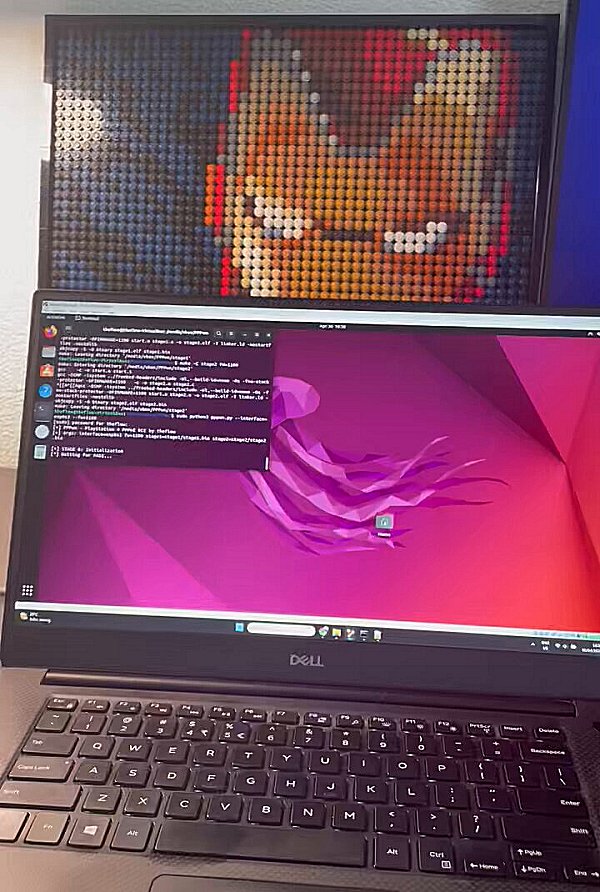
[+] PPPwn - PlayStation 4 PPPoE RCE by theflow
[+] args: interface=enp0s3 fw=1100 stage1=stage1/stage1.bin stage2=stage2/stage2.bin

[+] STAGE 0: Initialization
[*] Waiting for PADI...
[+] pppoe_softc: 0xffffabd634beba00
[+] Target MAC: xx:xx:xx:xx:xx:xx
[+] Source MAC: 07:ba:be:34:d6:ab
[+] AC cookie length: 0x4e0
[*] Sending PADO...
[*] Waiting for PADR...
[*] Sending PADS...
[*] Waiting for LCP configure request...
[*] Sending LCP configure ACK...
[*] Sending LCP configure request...
[*] Waiting for LCP configure ACK...
[*] Waiting for IPCP configure request...
[*] Sending IPCP configure NAK...
[*] Waiting for IPCP configure request...
[*] Sending IPCP configure ACK...
[*] Sending IPCP configure request...
[*] Waiting for IPCP configure ACK...
[*] Waiting for interface to be ready...
[+] Target IPv6: fe80::2d9:d1ff:febc:83e4
[+] Heap grooming...done

[+] STAGE 1: Memory corruption
[+] Pinning to CPU 0...done
[*] Sending malicious LCP configure request...
[*] Waiting for LCP configure request...
[*] Sending LCP configure ACK...
[*] Sending LCP configure request...
[*] Waiting for LCP configure ACK...
[*] Waiting for IPCP configure request...
[*] Sending IPCP configure NAK...
[*] Waiting for IPCP configure request...
[*] Sending IPCP configure ACK...
[*] Sending IPCP configure request...
[*] Waiting for IPCP configure ACK...
[+] Scanning for corrupted object...found fe80::0fdf:4141:4141:4141

[+] STAGE 2: KASLR defeat
[*] Defeating KASLR...
[+] pppoe_softc_list: 0xffffffff884de578
[+] kaslr_offset: 0x3ffc000

[+] STAGE 3: Remote code execution
[*] Sending LCP terminate request...
[*] Waiting for PADI...
[+] pppoe_softc: 0xffffabd634beba00
[+] Target MAC: xx:xx:xx:xx:xx:xx
[+] Source MAC: 97:df:ea:86:ff:ff
[+] AC cookie length: 0x511
[*] Sending PADO...
[*] Waiting for PADR...
[*] Sending PADS...
[*] Triggering code execution...
[*] Waiting for stage1 to resume...
[*] Sending PADT...
[*] Waiting for PADI...
[+] pppoe_softc: 0xffffabd634be9200
[+] Target MAC: xx:xx:xx:xx:xx:xx
[+] AC cookie length: 0x0
[*] Sending PADO...
[*] Waiting for PADR...
[*] Sending PADS...
[*] Waiting for LCP configure request...
[*] Sending LCP configure ACK...
[*] Sending LCP configure request...
[*] Waiting for LCP configure ACK...
[*] Waiting for IPCP configure request...
[*] Sending IPCP configure NAK...
[*] Waiting for IPCP configure request...
[*] Sending IPCP configure ACK...
[*] Sending IPCP configure request...
[*] Waiting for IPCP configure ACK...

[+] STAGE 4: Arbitrary payload execution
[*] Sending stage2 payload...
[+] Done!The code will not compile on Apple Silicon and requires amd64 architecture. There is a workaround using docker which will build the bin files required. Clone this repository to your mac system, then from the repo folder run ./build-macarm.sh. This will build the binaries for PS4 FW 1100 and place the necessary files into the correct folders.
To build the binaries for a different version, i.e. 900, run the command as such: ./build-macarm.sh 900. Once built, copy this folder structure into the Linux VM and execute as instructed above.This has been tested using VMware Fusion 13.5.1, with the VM Guest as Ubuntu 24.04, and the host machine is MacOS 14.4.1
Notes for GoldHEN version
This loader only supports payloads with a kernel entrypoint. The custom version of stage2 first looks for the payload in the root directory of the USB drive, and if found, it is copied to the internal HDD at this path: /data/GoldHEN/payloads/goldhen.bin. The internal payload is then loaded and is no longer needed on the external USB drive. At the moment, only firmware versions 9.00, 10.00, 10.01 and 11.00 are supported. Other versions like 9.60 will also be supported.
Reminder: All GoldHEN related issues, updates, etc go in the ongoing discussion topic for it:
Spoiler: Related Tweets, Videos, Opcode Offsets & ROPGadget Gadgets

