
You are using an out of date browser. It may not display this or other websites correctly.
You should upgrade or use an alternative browser.
You should upgrade or use an alternative browser.
Live in Your World, HAX in Ours!

Live in Your World, HAX in Ours!
Hello World! I've been reporting on Sony PlayStation hacking news since 2000 and started PSXHAX in 2014 to cover PlayStation (PSX), PlayStation 2 (PS2), PlayStation 3 (PS3), PlayStation 4 (PS4), PlayStation Portable (PSP), PlayStation Vita (PS Vita), PlayStation TV (PS TV) and next-gen PlayStation 5 (PS5) platforms along with anything else of interest.
Click on my UserName author link above and you'll be able to view a curated list of all the articles I've contributed thus far to PSXHAX.COM!
Click on my UserName author link above and you'll be able to view a curated list of all the articles I've contributed thus far to PSXHAX.COM!
VitaToolBox 1.1 for PlayStation Vita by BenMitnicK is Updated
Following his initial release based on VitaShell 1.51, today PS Vita homebrew developer @BenMitnicK updated the open-source VitaToolBox application to version 1.1 followed by versions 1.2 and 1.21 with the changes outlined below. 
Download: VitaToolBox.vpk
To quote from his Blog: VitaToolBox is based on VitaShell 1.51 with additional options.
VitaToolBox works independently of VitaShell and you will always need this one for the operation of Molecularshell. for the themes you can make yours for VitatoolBox and it will work with VitaShell you will have nothing to change
Change Log V1.1
bg_selecttheme.png 960X544
The images of the square and triangle buttons must be at 72X72
I removed the PS Vita activation it serves no purpose to have several applications that do the same thing download ePSP bubble installer it create custom bubble and activate your PS Vita.
 Minor update VitaActivator to activate your psVita LTRIGGER + Right Analog Joystick DOWN You had to be at the root of VitaToolBox and have Netchek_Bypass enabled in your Config.txt download config.txt and put in ux0:tai and reboot and launch...
Download: VitaToolBox.vpk
To quote from his Blog: VitaToolBox is based on VitaShell 1.51 with additional options.
VitaToolBox works independently of VitaShell and you will always need this one for the operation of Molecularshell. for the themes you can make yours for VitatoolBox and it will work with VitaShell you will have nothing to change
Change Log V1.1
- Theme manager activated
- ToolBox reactivate LTRIGGER+SELECT
- Settings menu remapped to LTRIGGER+START
- Move color.txt language.txt and setting.txt to .ini file
- Add somes options to color.ini
- Add noPreview image and square+triangle button image to theme folder
- Code improved
- Add Vitaident (right joystick => right to activate the menu)
- Add somes options to color.ini
- Remove ToolBox
- Add launch select language in option
- Bug fix for bg image
- Add select and cancel in language file
- Add param.ini for 100% Customizing Select Manager
- Add instruction manual
bg_selecttheme.png 960X544
The images of the square and triangle buttons must be at 72X72
I removed the PS Vita activation it serves no purpose to have several applications that do the same thing download ePSP bubble installer it create custom bubble and activate your PS Vita.
Minor update VitaActivator to activate your psVita LTRIGGER + Right Analog Joystick DOWN You had to be at the root of VitaToolBox and have Netchek_Bypass enabled in your Config.txt download config.txt and put in ux0:tai and reboot and launch...
PS4 Remote Play PSN Sign-in Bypass Guide by Yifan Lu
Last week reported on a PS Vita Netcheck Bypass, and today PlayStation 4 developer Yifan Lu shared a PS4 Remote Play PSN sign-in bypass guide for use with their taiHENkaku HENkaku taiHEN CFW framework. 
To quote from Yifan Lu on his tutorial: PS4 Remote Play Without PSN Sign-in
Remote Play requires a PSN sign-in at some point because when you sign-in to PSN, your online ID gets cached (along with your avatar image URL and banner image URL). The online id is required to link (make sure the same PSN account/online ID is used on both your Vita and PS4).
If you logged in to PSN in the past (before PSN spoofing was disabled by Sony), then this cached info is already on your Vita. However, if you formatted your Vita after PSN spoofing was disabled OR you purchased your Vita after spoofing was disabled, then you need to manually create this cache file. This guide will lead you through in doing that.
Creating the Online ID Cache
To quote from Yifan Lu on his tutorial: PS4 Remote Play Without PSN Sign-in
Remote Play requires a PSN sign-in at some point because when you sign-in to PSN, your online ID gets cached (along with your avatar image URL and banner image URL). The online id is required to link (make sure the same PSN account/online ID is used on both your Vita and PS4).
If you logged in to PSN in the past (before PSN spoofing was disabled by Sony), then this cached info is already on your Vita. However, if you formatted your Vita after PSN spoofing was disabled OR you purchased your Vita after spoofing was disabled, then you need to manually create this cache file. This guide will lead you through in doing that.
Creating the Online ID Cache
- Make sure your Vita is linked to your PSN account. You do not have to be activated! To ensure you are linked, restore your Vita (do NOT format your memory card unless you want to lose everything). Once you get to the welcome screen, select that you already have a PSN account and type in the information. If you remember doing this when you last went through the setup, you do not have to do it again.
- Download and open up a hex editor. Create a new file and fill it with 328 bytes of 00. To help, you can copy the following:
Code:
00 00 00 00 00 00 00 00 00 00 00 00 00 00 00 00 00 00 00 00 00 00 00 00 00 00 00 00 00 00 00 00 00 00 00 00 00 00 00 00 00 00 00 00 00 00 00 00 00 00 00 00 00 00 00 00 00 00 00 00 00 00 00 00 00 00 00 00 00 00 00 00 00 00 00 00 00 00 00 00 00 00 00 00 00 00 00 00 00 00 00 00 00 00 00 00 00 00 00 00 00 00 00 00 00 00 00 00 00 00 00 00 00 00 00 00 00 00 00 00 00 00 00 00 00 00 00 00 00 00 00 00 00 00 00 00 00 00 00 00 00 00 00 00 00 00 00 00 00 00 00 00 00 00 00 00 00 00 00 00 00 00 00 00 00 00 00 00 00 00 00 00 00 00 00 00 00 00 00 00 00 00 00 00 00 00 00 00 00 00 00 00 00 00 00 00 00 00 00 00 00 00 00 00 00 00 00 00 00 00 00 00 00 00 00...
Sony Restricting PS4 4.50 Firmware to 1 External Hard Disk Drive
If you're planning to install an external PS4 HDD with PS4 4.50 Firmware, Sony currently is restricting it to only one external hard disk drive according to Sasuke Beta testers. 
The message prompt you'll receive states the following when trying another external PS4 HDD:
You are already using a different extended storage device. You can only use one extended storage device at a time. Do you want to switch to this extended storage device?
To quote from JustPushStart.com on their findings of this PS4 System Software 4.50 Beta 2 limitation:
"Upon checking if I can use my other hard drive, I was saddened to see that I was only limited to use only one hard drive. Yes, it’s a nice feature to be able to finally use an external hard drive as alternative to expanding my storage, but I was hoping it would be like the Xbox One where I could use multiple hard drives. The more the better right?
That being said, the features introduced in the PS4 4.50 firmware is still in beta. Hopefully when the official firmware releases in a few months/weeks, it will introduce more features and remove the limitation of being able to only use 1 hard drive at a time."
The message prompt you'll receive states the following when trying another external PS4 HDD:
You are already using a different extended storage device. You can only use one extended storage device at a time. Do you want to switch to this extended storage device?
To quote from JustPushStart.com on their findings of this PS4 System Software 4.50 Beta 2 limitation:
"Upon checking if I can use my other hard drive, I was saddened to see that I was only limited to use only one hard drive. Yes, it’s a nice feature to be able to finally use an external hard drive as alternative to expanding my storage, but I was hoping it would be like the Xbox One where I could use multiple hard drives. The more the better right?
That being said, the features introduced in the PS4 4.50 firmware is still in beta. Hopefully when the official firmware releases in a few months/weeks, it will introduce more features and remove the limitation of being able to only use 1 hard drive at a time."
Remote Play PC Alpha v0.3.2.9 by Twist3d89 with PS4 4.50 Beta Support
Following his previous releases and Decrypted Audio Packet update, PlayStation 4 developer Twist3d89 of TMACDEV Forums has made available Remote Play PC Alpha v0.3.2.9 which includes preliminary support for PS4 Beta 2 Sasuke 4.50 Firmware with details and the changelog below.
Remote Play PC Free ALPHA 0.3.2.9
Remote Play PC is a Windows application currently in Alpha stage that allows you to stream and control PS4 games on your PC. It's features include:
0.3.2.9 Changelog
Remote Play PC Free ALPHA 0.3.2.9
Remote Play PC is a Windows application currently in Alpha stage that allows you to stream and control PS4 games on your PC. It's features include:
- Stream at full 720P 60FPS scaled to your native desktop resolution
- Dynamic controls - bind any controller or keyboard/mouse to DualShock 4 controls! (Mice are WIP, they are bindable but response is limited)
- Connect directly to your PS4's WiFi! This has previously only be possible on the PS Vita.
- Wakeup PS4 over LAN/WAN (Requires forwarded ports)
- Direct IP connect from anywhere!
- Lower latency compared to Android & PS Vita (may vary depending on PC specs)
- Windows PC running Vista or newer
- Dual core 2Ghz CPU
- DirectX 9 and OpenGL compatible graphics card
0.3.2.9 Changelog
- Fix for video delay some users were encountering
- Preliminary support for PS4 Firmware 4.50 (Beta works)
- Black screen on start - this can happen when the first IDR frames get lost or corrupted, restart the stream to fix.
- Dualshock 4 Touchpad & Gyro - These are not yet implemented, please don't ask about them. Read the ROAD MAP
- Mouse Input - Mouse input is still a work-in-progress so don't complain that its 'laggy' or 'slow'. Please refer to the...
PS Vita ePSP Bubble Installer v1.2 by CelesteBlue is Released
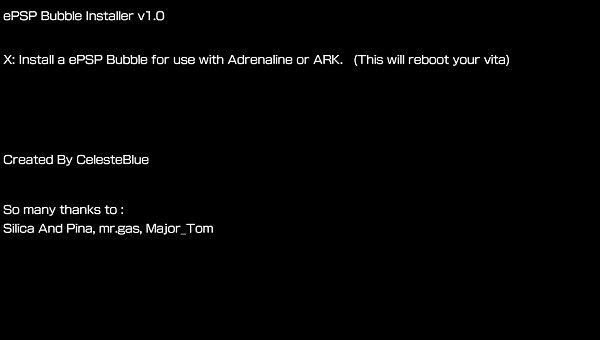
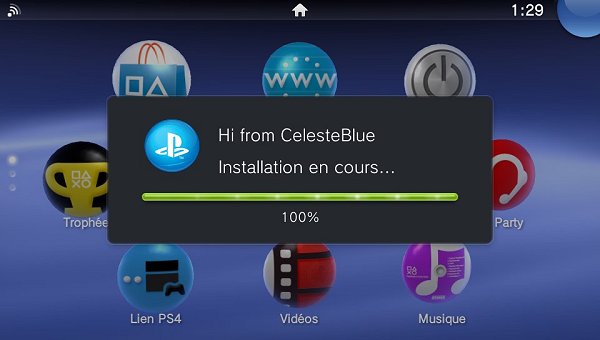
Today PlayStation Vita developer @CelesteBlue let me know of a PS Vita project he's recently released called ePSP Bubble Installer v1.2 on the GekiHEN site followed by v2.0 below. 
Download: ePSP_Bubble_Installer_v1.2.vpk (5.1 MB) / ePSP_Bubble_Installer_v1.2.zip (5.1 MB) / ePSP_Bubble_Installer_v2.0.vpk (5.2 MB)
Below are some screenshots of the PSVita ePSP Bubble Installer, and to quote from the project page:
A tool that quickly creates a mini ePSP bubble for use with Adrenaline or ARK.
Download: ePSP_Bubble_Installer_v1.2.vpk (5.1 MB) / ePSP_Bubble_Installer_v1.2.zip (5.1 MB) / ePSP_Bubble_Installer_v2.0.vpk (5.2 MB)
Below are some screenshots of the PSVita ePSP Bubble Installer, and to quote from the project page:
A tool that quickly creates a mini ePSP bubble for use with Adrenaline or ARK.
- PS4 Fake PKG (FPKG) Sharing Guide
- 6.XX Webkit / 6.72 PS4 Jailbreak
- 7.00-7.02 Webkit Exploit
- 7.02 Webkit / 7.02 Kernel / PS4JB
- 7.50 Kernel Exploit / PS4JB 7.55
- 7.55 / 8.00 Payloads / PS4JB2 7.55
- 9.00 PS4 Webkit Exploit
- 9.00 PS4 Payloads / GoldHEN (Latest)
- 9.00 PS4 Jailbreak Kernel Exploit
- 11.00 PS4 Jailbreak Kernel Exploit
- 13.00 PS4 Kernel Exploit / 13.02 BD-J Bug
- 4.03 PS5 Webkit Exploit
- PS5 Kernel Exploit (ExFAT Bug)
- PS5 Root Keys Obtained
- 4.03 PS5 Kernel Build String
- 4.03 PS5 Webkit Execution
- 4.03 PS5 Kernel Vulnerability
- 4.03 PS5 Filesystem Dumps
- 4.51 PS5 BD-JB Sandbox Escape
- PS5 BD-JB Exploit Hack Source Code
- Mast1c0re PS5 Userland Exploit
- PS5 Kernel Access via PS4 Exploit
- PS5 exFAT Vulnerability Disclosed
- 4.03 PS5 Kernel Exploit Webkit ROP
- 4.50 PS5 Kernel Exploit Webkit ROP
- 4.51 PS5 Kernel Exploit Webkit ROP
- 4.xx PS5 Kernel Exploit v1.01
- 4.xx PS5 Kernel Exploit v1.02 / v1.03
- PS5 1.00-6.50 Firmware Webkit
- Native PS5 ROP Chain Execution
- Mast1c0re PS5 Compiler Attack
- PS5 FreeBSD Kernel Bug & WebKit
- PS5 UMTX 2 Exploit & PS5 Jailbreak
- Byepervisor PS5 Hypervisor Exploit
- Lua Lapse PS5 Kxploit & Laps3c0re / Y2JB
- 12.00 / 12.70 PS5 Kernel Exploit