
You are using an out of date browser. It may not display this or other websites correctly.
You should upgrade or use an alternative browser.
You should upgrade or use an alternative browser.
Live in Your World, HAX in Ours!

Live in Your World, HAX in Ours!
Hello World! I've been reporting on Sony PlayStation hacking news since 2000 and started PSXHAX in 2014 to cover PlayStation (PSX), PlayStation 2 (PS2), PlayStation 3 (PS3), PlayStation 4 (PS4), PlayStation Portable (PSP), PlayStation Vita (PS Vita), PlayStation TV (PS TV) and next-gen PlayStation 5 (PS5) platforms along with anything else of interest.
Click on my UserName author link above and you'll be able to view a curated list of all the articles I've contributed thus far to PSXHAX.COM!
Click on my UserName author link above and you'll be able to view a curated list of all the articles I've contributed thus far to PSXHAX.COM!
PS4 4.05 Database Mod to Run Installed Fake PKGs on USB or BD
Following their PS4 1.76 Database Mod, today the PlayStation 4 modders at e✘treme-Modding.de shared a PS4 4.05 database mod to run installed Fake PKGs on USB or BD with a demonstration video below! 
Here's the details from their blog, to quote: If you want to play your installed Fake PKGs on USB or BD you just have to copy a few files and edit the Database. It's nothing new but now with a detailed tutorial for 4.05 users.
Of course it's not hard if you understand how the Database work, just follow the steps of my Tutorial below.
PS4 4.05 Mod - Run PKGs on USB or BD
Tutorial for USB method:
1. Enable Debug Settings and install all Fake PKGs you want to play
2. Connect your PS4 via FTP to your PC and dump the Database (/system_data/priv/mms/app.db)
3. Copy the app folder (/user/app) to your USB device and rename it to GAMES
Or you can create the GAMES folder on the USB device, add the ID folder (CUSAxxxxx), rename the pkg (you have installed and which is already on the USB device) to app.pkg and move it in this folder (/GAMES/CUSAxxxxx/app.pkg).
Database Mod:
Now you have to edit the app.db to change the path to your app.pkg on /GAMES/CUSAxxxxx
Example (CUSA03842):
1. Change _org_path (/user/app/CUSA03842) to /mnt/usb0/GAMES/CUSA03842

2. Copy your modified app.db back via FTP (/system_data/priv/mms/) and restart the PS4. Now you can run your Games on USB.
If you want to run a PKG on a BD Disc you have to burn the app.pkg to a writeable disc (/GAMES/CUSAxxxxx/app.pkg) (only tested with a bd-rw). The _org_path for the Database is /mnt/disc/GAMES/CUSAxxxxx.
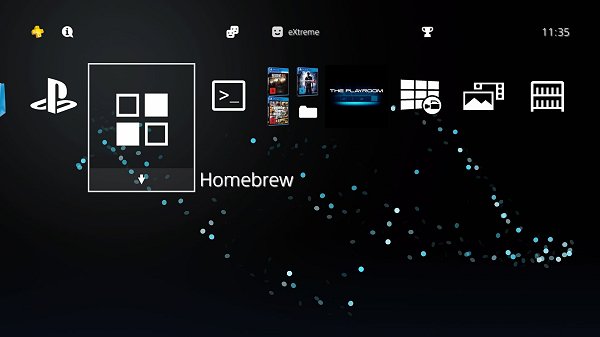
 Update: Also from their blog comes a PS4 4.55 Database Mod to add your homebrew apps in a custom System Folder to quote:
Database Mod: you...
Here's the details from their blog, to quote: If you want to play your installed Fake PKGs on USB or BD you just have to copy a few files and edit the Database. It's nothing new but now with a detailed tutorial for 4.05 users.
Of course it's not hard if you understand how the Database work, just follow the steps of my Tutorial below.
PS4 4.05 Mod - Run PKGs on USB or BD
Tutorial for USB method:
1. Enable Debug Settings and install all Fake PKGs you want to play
2. Connect your PS4 via FTP to your PC and dump the Database (/system_data/priv/mms/app.db)
3. Copy the app folder (/user/app) to your USB device and rename it to GAMES
Or you can create the GAMES folder on the USB device, add the ID folder (CUSAxxxxx), rename the pkg (you have installed and which is already on the USB device) to app.pkg and move it in this folder (/GAMES/CUSAxxxxx/app.pkg).
Database Mod:
Now you have to edit the app.db to change the path to your app.pkg on /GAMES/CUSAxxxxx
Example (CUSA03842):
1. Change _org_path (/user/app/CUSA03842) to /mnt/usb0/GAMES/CUSA03842
2. Copy your modified app.db back via FTP (/system_data/priv/mms/) and restart the PS4. Now you can run your Games on USB.
If you want to run a PKG on a BD Disc you have to burn the app.pkg to a writeable disc (/GAMES/CUSAxxxxx/app.pkg) (only tested with a bd-rw). The _org_path for the Database is /mnt/disc/GAMES/CUSAxxxxx.
Update: Also from their blog comes a PS4 4.55 Database Mod to add your homebrew apps in a custom System Folder to quote:Database Mod: you...
PS4 AIO v1.4.0 with 4.05 Support and BO3 Mods by MODDED WARFARE!
Following his previous update, today PlayStation 4 developer @MODDEDWARFARE made available PS4 AIO v1.4.0 with a new demo video on his YouTube Channel which includes exploited 4.05 Firmware support alongside BO3 mods followed by v1.5.0! 
Download: PS4-AIO-Setup 1.4.0.exe (42.6 MB) / PS4 AIO Portable 1.4.0.zip (42.1 MB) / PS4 AIO v1.5.0
To quote from the video's caption: PS4-AIO Release with 4.05 Support & BO3 Mods! (PS4 Jailbreak)
Here's an updated version of my PS4-AIO tool which now supports 4.05.
Please download and install the latest version rather than trying to update any older versions.
Playing Ghosts For Free & Cool Mods On 4.05 (PS4 Jailbreak & Homebrew)
[PS4/BO3] Real Time Editing using my own tool (God Mode, Ammo, Points, etc..)
[PS4/RELEASE] Open Source Black Ops III Zombie RTM Tool [5.05/4.55/4.05]
Download: PS4 RTM Tool MrNiato v1.0.zip / PS4 RTM Tool MrNiato v1.0.zip (Mirror) / PS4 RTM Tool MrNiato v1.0.zip (1.26.zip) via MrNiato, to quote: HOW TO:
1) With your PS4 go to this link: http://crack.bargains/505k/
2) If you have message "Youre all set!" close the browser and reopen it again then you will have a message "Awaiting Payload...".
3) Open NETCAT GUI, change your IP Adress with the one of your PS4, change "9023" by "9020", select the payload in the folder then inject...
Download: PS4-AIO-Setup 1.4.0.exe (42.6 MB) / PS4 AIO Portable 1.4.0.zip (42.1 MB) / PS4 AIO v1.5.0
To quote from the video's caption: PS4-AIO Release with 4.05 Support & BO3 Mods! (PS4 Jailbreak)
Here's an updated version of my PS4-AIO tool which now supports 4.05.
Please download and install the latest version rather than trying to update any older versions.
Playing Ghosts For Free & Cool Mods On 4.05 (PS4 Jailbreak & Homebrew)
[PS4/BO3] Real Time Editing using my own tool (God Mode, Ammo, Points, etc..)
[PS4/RELEASE] Open Source Black Ops III Zombie RTM Tool [5.05/4.55/4.05]
Download: PS4 RTM Tool MrNiato v1.0.zip / PS4 RTM Tool MrNiato v1.0.zip (Mirror) / PS4 RTM Tool MrNiato v1.0.zip (1.26.zip) via MrNiato, to quote: HOW TO:
1) With your PS4 go to this link: http://crack.bargains/505k/
2) If you have message "Youre all set!" close the browser and reopen it again then you will have a message "Awaiting Payload...".
3) Open NETCAT GUI, change your IP Adress with the one of your PS4, change "9023" by "9020", select the payload in the folder then inject...
How to Install PKG File Games on PS4 4.05 Firmware by XeXSolutions
Following some of the recent PS2 and PS4 PKG Guides, here's a video tutorial from @XeXSolutions on how to install PKG file games on exploited PS4 4.05 Firmware running PS4HEN which also can be hosted on Android and iOS devices. 
 If anyone along for the ride has time it would be great to fill a request for a PKG download manager tutorial also, as apparently there are free ones such as JDownloader (or Mipony for Windows or OS X) but a quick video showing how to use it with PKG links (such as ZippyShare) would be handy for many.
Check out the video below, and to quote from the description: How To Install PKG File Game Dumps 4.05 Firmware PS4
How to Download from ZippyShare Using TotalD by...
If anyone along for the ride has time it would be great to fill a request for a PKG download manager tutorial also, as apparently there are free ones such as JDownloader (or Mipony for Windows or OS X) but a quick video showing how to use it with PKG links (such as ZippyShare) would be handy for many. Check out the video below, and to quote from the description: How To Install PKG File Game Dumps 4.05 Firmware PS4
- Exploit DNS (For injecting payloads): 108.61.128.158
- PS4Hen Payload (for manual injection)
- PS4HEN PKG's
- Song Names: ElementD & Chordinatez - Radiate (feat. Mees Van Den Berg)
- Jordan Schor & Harley Bird - Home
- Be sure to follow me on Twitter
- Join my Discord Server
- Contact me on Skype: xex.solutions
- For an awesome modding community join XPGameSaves.com
How to Download from ZippyShare Using TotalD by...
GenGP4 (Replaces PKG Kitchen) by XVortex, PS4 FTP via Webpage
Today PlayStation 4 developer @XVortex kicked us out of the kitchen by announcing that his PKG Kitchen is no longer needed, and introduced his latest GP4 Generator all-in-one utility called GenGP4 which combined with the FTP server is everything you need to dump PlayStation 4 games including a more reliable tree-decrypting method alongside shorter instructions below! 
Download: gengp4.exe / gengp4.zip (641 KB) / ps4-dumper.bin / GIT
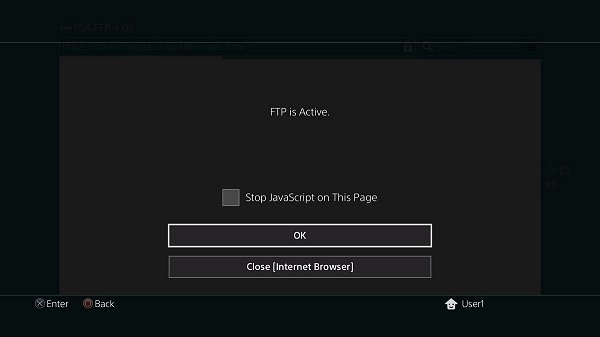
To quote: "No more .pkg extraction, .pfs extraction, file merging etc. FTP server dumps the game to HDD folder, then gp4gen sanitizes this folder and generates the .gp4."
To quote from @XVortex's condensed guide on using GenGP4:
1) Turn on the console, insert disc (or run psn title), install all game patches;
2) Plug-in the USB stick, run the ps4-dumper payload (.bin or standalone);
3) Run your game, make sure to get main menu, minimize game (PS Button);
4) Wait till completion. When the process is finished the lights stop blinking
and console will shutdown automatically (it is normal, not a panic shutdown);
5) Turn on your console, remove disc, uninstall the game (for further testing);
6) On PC: Plug-in the USB Stick, then open gengp4.exe, point into CUSAxxxxx dir
and press Generate .GP4, You should get the 'Done.', then press Save .GP4;
7) Open .gp4 in the orbis-pub-gen and build .pkg file
(You can get the orbis-pub-gen tool via PKG_Fake_Generator);
8) Run PS4HEN payload, install and test your .pkg;
9) Enjoy.
Download: gengp4.exe / gengp4.zip (641 KB) / ps4-dumper.bin / GIT
To quote: "No more .pkg extraction, .pfs extraction, file merging etc. FTP server dumps the game to HDD folder, then gp4gen sanitizes this folder and generates the .gp4."
To quote from @XVortex's condensed guide on using GenGP4:
1) Turn on the console, insert disc (or run psn title), install all game patches;
2) Plug-in the USB stick, run the ps4-dumper payload (.bin or standalone);
3) Run your game, make sure to get main menu, minimize game (PS Button);
4) Wait till completion. When the process is finished the lights stop blinking
and console will shutdown automatically (it is normal, not a panic shutdown);
5) Turn on your console, remove disc, uninstall the game (for further testing);
6) On PC: Plug-in the USB Stick, then open gengp4.exe, point into CUSAxxxxx dir
and press Generate .GP4, You should get the 'Done.', then press Save .GP4;
7) Open .gp4 in the orbis-pub-gen and build .pkg file
(You can get the orbis-pub-gen tool via PKG_Fake_Generator);
8) Run PS4HEN payload, install and test your .pkg;
9) Enjoy.
PS2 ELF Loader for PS4 4.05 by Nominus and uLaunchELF PKG Arrives
Following his Super Nintendo Emulator Port for PS4 4.05 users, PlayStation 4 developer Nominus returns with a PS2 ELF Loader for PS4 4.05 alongside a version of uLaunchELF compiled as a PKG by @DarkElementPL via Twitter to launch ELF files in ps2emu for those who recall these popular PS2 homebrew applications.
To use the PS2 ELF Loader for PS4 4.05 add disc01 to your PS4 FPKG, build and enjoy... but according to Nominus USB support is still needed to take full advantage, so while the Open PS2 Loader (known as OPL) loads without USB support there is no way of booting PSX iSO files yet.
Download: PS4-PS2-ELF Load.zip (23.4 MB) / PS4-PS2-ELF Load.zip (Mirror) / uLaunchELF.zip (102.02 MB) / ps2emu.7z (123.59 MB - Raw dump of Rogue Galaxy PS2 classic for PS4 by VVildCard777)
Cheers to @prreis and @SSShowmik for the news tips in the PSXHAX Shoutbox earlier today!
To use the PS2 ELF Loader for PS4 4.05 add disc01 to your PS4 FPKG, build and enjoy... but according to Nominus USB support is still needed to take full advantage, so while the Open PS2 Loader (known as OPL) loads without USB support there is no way of booting PSX iSO files yet.
Download: PS4-PS2-ELF Load.zip (23.4 MB) / PS4-PS2-ELF Load.zip (Mirror) / uLaunchELF.zip (102.02 MB) / ps2emu.7z (123.59 MB - Raw dump of Rogue Galaxy PS2 classic for PS4 by VVildCard777)
Cheers to @prreis and @SSShowmik for the news tips in the PSXHAX Shoutbox earlier today!
- PS4 Fake PKG (FPKG) Sharing Guide
- 6.XX Webkit / 6.72 PS4 Jailbreak
- 7.00-7.02 Webkit Exploit
- 7.02 Webkit / 7.02 Kernel / PS4JB
- 7.50 Kernel Exploit / PS4JB 7.55
- 7.55 / 8.00 Payloads / PS4JB2 7.55
- 9.00 PS4 Webkit Exploit
- 9.00 PS4 Payloads / GoldHEN (Latest)
- 9.00 PS4 Jailbreak Kernel Exploit
- 11.00 PS4 Jailbreak Kernel Exploit
- 13.00 PS4 Kernel Exploit / 13.02 BD-J Bug
- 4.03 PS5 Webkit Exploit
- PS5 Kernel Exploit (ExFAT Bug)
- PS5 Root Keys Obtained
- 4.03 PS5 Kernel Build String
- 4.03 PS5 Webkit Execution
- 4.03 PS5 Kernel Vulnerability
- 4.03 PS5 Filesystem Dumps
- 4.51 PS5 BD-JB Sandbox Escape
- PS5 BD-JB Exploit Hack Source Code
- Mast1c0re PS5 Userland Exploit
- PS5 Kernel Access via PS4 Exploit
- PS5 exFAT Vulnerability Disclosed
- 4.03 PS5 Kernel Exploit Webkit ROP
- 4.50 PS5 Kernel Exploit Webkit ROP
- 4.51 PS5 Kernel Exploit Webkit ROP
- 4.xx PS5 Kernel Exploit v1.01
- 4.xx PS5 Kernel Exploit v1.02 / v1.03
- PS5 1.00-6.50 Firmware Webkit
- Native PS5 ROP Chain Execution
- Mast1c0re PS5 Compiler Attack
- PS5 FreeBSD Kernel Bug & WebKit
- PS5 UMTX 2 Exploit & PS5 Jailbreak
- Byepervisor PS5 Hypervisor Exploit
- Lua Lapse PS5 Kxploit & Laps3c0re / Y2JB
- 12.00 / 12.70 PS5 Kernel Exploit