PSXHAX.COM website and domain for sale. Contact Us with your offer!

You are using an out of date browser. It may not display this or other websites correctly.
You should upgrade or use an alternative browser.
You should upgrade or use an alternative browser.
PS4Play Beta 1.0 Software Released, PS4 / PS3 Games on PC Demo
Previously we blogged about PS4 Remote Play application PlayCast (among many others listed at the bottom of the article) and now yet another alternative called PS4Play is here! 
The free PS4Play software to play PS4 and PS3 games on PC with keyboard / mouse can be found on their official site www.PS4Play.com along with a preparation guide, and below are some PS4Play demonstration videos:
PS4 Control by Keyboard and Mouse
PS4Play Mouse Config CN/EN
Cheers to @Abkarino for the news tip!
The free PS4Play software to play PS4 and PS3 games on PC with keyboard / mouse can be found on their official site www.PS4Play.com along with a preparation guide, and below are some PS4Play demonstration videos:
PS4 Control by Keyboard and Mouse
PS4Play Mouse Config CN/EN
Cheers to @Abkarino for the news tip!
PS4 Remote Play BETA Testers Wanted for iPad & iPhone iOS Client
PlayStation 4 developer BitwiseSolutions is currently seeking PS4 Remote Play BETA testers for their iPad and iPhone iOS client software.
To quote: Hey everyone,
We are looking for testers for our upcoming app called PlayCast, that allows you to remotely play your PlayStation 4 using an iOS device. This can work on your home network, or even over the internet, allowing you to play your games from anywhere.
To test this app you must have a PS4 linked with a PSN account and running v3.55 system software, a home WiFi network and an iPad/iPhone running iOS 8 or higher. If you meet these requirements and would like to be involved in testing PlayCast, please send an email to info AT bitwise.hk and let us know.
It is unfortunately not possible to connect the DualShock 4 controller to iOS devices, so PlayCast can be controlled either with an on-screen virtual controller or any MFi game controller (one example pictured below).
If anyone has any questions about PlayCast, please post a reply to this thread and we’ll answer as quickly as possible.
This is what the developers told Wololo about their project, to quote:
"PlayCast is a PS4 remote play client for iOS devices such as iPad, iPhone etc. It was developed from the ground up over the course of the past half year and involved a considerable amount of reverse engineering.
It was quite challenging to get it working well on iOS due to the fact that these devices can only connect to wireless networks which can be quite unreliable. The protocol used by PS4 remote play supports a form of error correction, as well as a method of automatically adapting the stream parameters (video bitrate, data redundancy) according to the connection quality. PlayCast fully supports both of these features, in order to mitigate the difficulties posed by the use of wireless networks.
It is not possible to connect a DualShock 4 to an iOS device (unless its jailbroken, which is beyond our scope here). Therefore, PlayCast may be controlled either with the on-screen virtual controller, or any MFi (Made for iPhone) bluetooth controller.
We intend to release PlayCast on the app store as a paid download. Cannot provide further details regarding price etc at this time."
That said, there...
To quote: Hey everyone,
We are looking for testers for our upcoming app called PlayCast, that allows you to remotely play your PlayStation 4 using an iOS device. This can work on your home network, or even over the internet, allowing you to play your games from anywhere.
To test this app you must have a PS4 linked with a PSN account and running v3.55 system software, a home WiFi network and an iPad/iPhone running iOS 8 or higher. If you meet these requirements and would like to be involved in testing PlayCast, please send an email to info AT bitwise.hk and let us know.
It is unfortunately not possible to connect the DualShock 4 controller to iOS devices, so PlayCast can be controlled either with an on-screen virtual controller or any MFi game controller (one example pictured below).
If anyone has any questions about PlayCast, please post a reply to this thread and we’ll answer as quickly as possible.
This is what the developers told Wololo about their project, to quote:
"PlayCast is a PS4 remote play client for iOS devices such as iPad, iPhone etc. It was developed from the ground up over the course of the past half year and involved a considerable amount of reverse engineering.
It was quite challenging to get it working well on iOS due to the fact that these devices can only connect to wireless networks which can be quite unreliable. The protocol used by PS4 remote play supports a form of error correction, as well as a method of automatically adapting the stream parameters (video bitrate, data redundancy) according to the connection quality. PlayCast fully supports both of these features, in order to mitigate the difficulties posed by the use of wireless networks.
It is not possible to connect a DualShock 4 to an iOS device (unless its jailbroken, which is beyond our scope here). Therefore, PlayCast may be controlled either with the on-screen virtual controller, or any MFi (Made for iPhone) bluetooth controller.
We intend to release PlayCast on the app store as a paid download. Cannot provide further details regarding price etc at this time."
That said, there...
PS4 Linux Pre-configured Distro for Emulators & More from D-ecks
Following his PS4 Linux Installation Tutorial and PS4 Steam Tutorial, today PlayStation 4 developer D-ecks shared a PS4 Linux pre-configured distro which supports Steam, various emulators, Office and more right out of the box!
Download: PS4 Linux v 0.1.1.torrent (23.12 KB)
Check it out below, to quote: PS4 Linux. Steam + Emulators + office out of the box
Current version - 0.1.1
Pre-configured linux distro, based on Fedora 23 with kernel patches from Fail0verflow team. Uses OsirisX's works (3d acc., steam).
Requirements:
WINDOWS
Download and unpack the image (How to Download Torrents Using uTorrent)
Use a program that can write dd-images. My choice is rufus.
Use settings as pictured below:
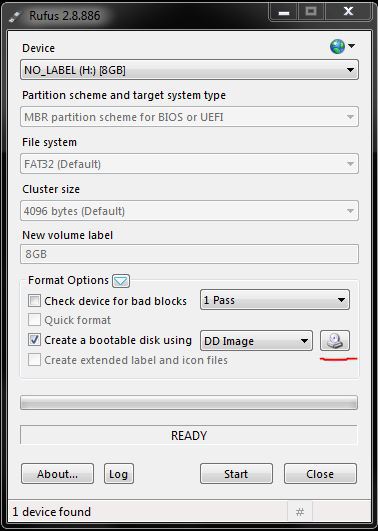
Locate PS4Linux_0.1.1.img and press Start.
OS X
Download and unpack the image.
Open Terminal.
Type:
Locate your usb disk by size. It should be /dev/diskX

In this case X = 1
Type:
Enter your password and wait for some time.
LINUX
Download and unpack the image.
Open Terminal.
Locate your usb disk using lsblk or Disks. It should be /dev/sdX
Type:
Enter your password and wait for some time.
NEXT STEP
Insert prepared usb stick into your ps4 and use Magic DNS (fastest) or any other way to boot linux.
All...
Download: PS4 Linux v 0.1.1.torrent (23.12 KB)
Check it out below, to quote: PS4 Linux. Steam + Emulators + office out of the box
Current version - 0.1.1
Pre-configured linux distro, based on Fedora 23 with kernel patches from Fail0verflow team. Uses OsirisX's works (3d acc., steam).
Requirements:
- PS4 with 1.76 FW
- USB flash drive 8GB+
- Any Internet connection
- USB keyboard/mouse
- USB hub (optional)
WINDOWS
Download and unpack the image (How to Download Torrents Using uTorrent)
Use a program that can write dd-images. My choice is rufus.
Use settings as pictured below:
Locate PS4Linux_0.1.1.img and press Start.
OS X
Download and unpack the image.
Open Terminal.
Type:
Code:
diskutil listIn this case X = 1
Type:
Code:
sudo dd if=path/to/PS4Linux_0.1.1.img of=/dev/rdiskX bs=1mLINUX
Download and unpack the image.
Open Terminal.
Locate your usb disk using lsblk or Disks. It should be /dev/sdX
Type:
Code:
sudo dd if=path/to/PS4Linux_0.1.1.img of=/dev/sdX bs=1mNEXT STEP
Insert prepared usb stick into your ps4 and use Magic DNS (fastest) or any other way to boot linux.
All...
PS4 Case Mod: PlayStation 4 Design Mod v1.1 by eXtreme Modding
Recently video game console modder eXtreme shared an update on his latest PlayStation 4 design modification bringing it to version 1.1.
A few pics and a video demo are posted below of this great looking PS4 case mod with more available from his official site!
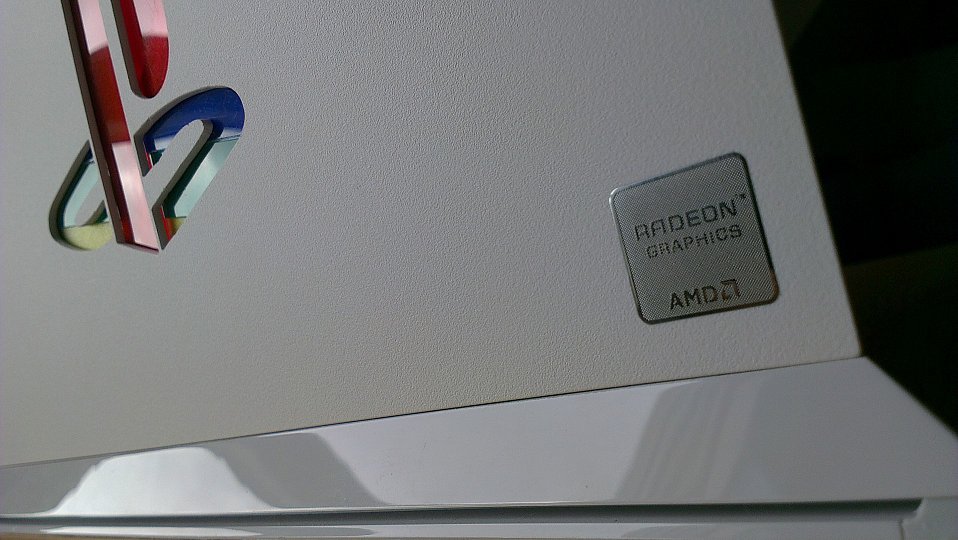
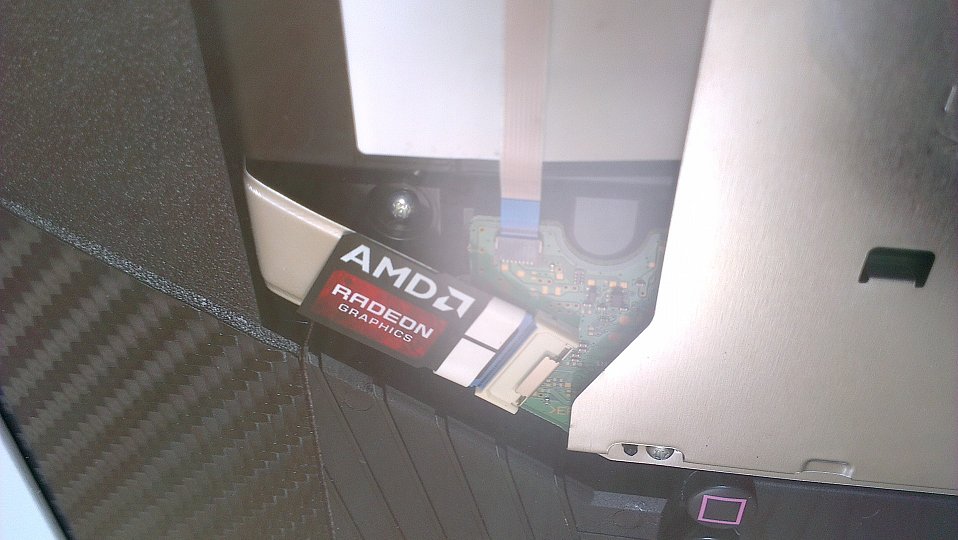
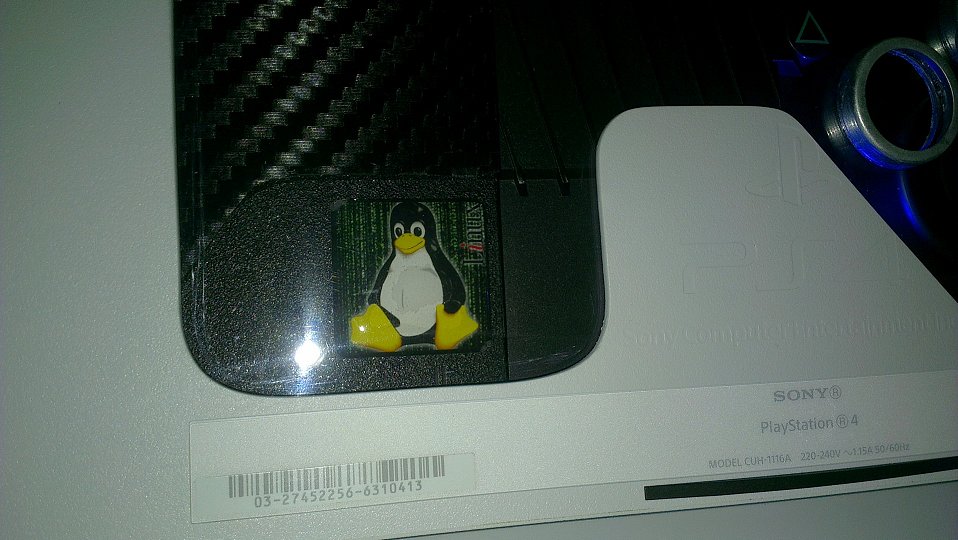
A few pics and a video demo are posted below of this great looking PS4 case mod with more available from his official site!
First Decrypted Audio Packet in PS4 3.50 FW for RPPC by Twist3d89
Following his initial Remote Play PC release, PlayStation 4 developer Twist3d89 of Twisted Productions tweeted today that they are finally making progress on Sony's PS4 3.50 Firmware update announcing news of the first decrypted audio packet for RPPC.
Check out the tweets below!
Cheers to @B7U3 C50SS for the heads-up in the PSXHAX Shoutbox!
https://www.psxhax.com/threads/play...ing-ps4-video-demo.330/PS4 3.50 Firmware[/url
Check out the tweets below!
Cheers to @B7U3 C50SS for the heads-up in the PSXHAX Shoutbox!
https://www.psxhax.com/threads/play...ing-ps4-video-demo.330/PS4 3.50 Firmware[/url
- PS4 Fake PKG (FPKG) Sharing Guide
- 6.XX Webkit / 6.72 PS4 Jailbreak
- 7.00-7.02 Webkit Exploit
- 7.02 Webkit / 7.02 Kernel / PS4JB
- 7.50 Kernel Exploit / PS4JB 7.55
- 7.55 / 8.00 Payloads / PS4JB2 7.55
- 9.00 PS4 Webkit Exploit
- 9.00 PS4 Payloads / GoldHEN (Latest)
- 9.00 PS4 Jailbreak Kernel Exploit
- 11.00 PS4 Jailbreak Kernel Exploit
- 13.00 PS4 Kernel Exploit / 13.02 BD-J Bug
- 4.03 PS5 Webkit Exploit
- PS5 Kernel Exploit (ExFAT Bug)
- PS5 Root Keys Obtained
- 4.03 PS5 Kernel Build String
- 4.03 PS5 Webkit Execution
- 4.03 PS5 Kernel Vulnerability
- 4.03 PS5 Filesystem Dumps
- 4.51 PS5 BD-JB Sandbox Escape
- PS5 BD-JB Exploit Hack Source Code
- Mast1c0re PS5 Userland Exploit
- PS5 Kernel Access via PS4 Exploit
- PS5 exFAT Vulnerability Disclosed
- 4.03 PS5 Kernel Exploit Webkit ROP
- 4.50 PS5 Kernel Exploit Webkit ROP
- 4.51 PS5 Kernel Exploit Webkit ROP
- 4.xx PS5 Kernel Exploit v1.01
- 4.xx PS5 Kernel Exploit v1.02 / v1.03
- PS5 1.00-6.50 Firmware Webkit
- Native PS5 ROP Chain Execution
- Mast1c0re PS5 Compiler Attack
- PS5 FreeBSD Kernel Bug & WebKit
- PS5 UMTX 2 Exploit & PS5 Jailbreak
- Byepervisor PS5 Hypervisor Exploit
- Lua Lapse PS5 Kxploit & Laps3c0re / Y2JB
- 12.00 / 12.70 PS5 Kernel Exploit