PSXHAX.COM website and domain for sale. Contact Us with your offer!

You are using an out of date browser. It may not display this or other websites correctly.
You should upgrade or use an alternative browser.
You should upgrade or use an alternative browser.
PSXHAX - PSXHACKS: PSX HAX - PSX HACKS - PLAYSTATION HAX - PLAYSTATION HACKS
Downloading & Storing PS4 Games and Apps to an External HDD Guide
Previously we covered Setting Up a USB 3.0 PS4 HDD, and now Sony's Rhys Sutheran followed-up with a guide on how to download and store PS4 games and apps to an external HDD for those on PS4 System Software 4.50. 
To quote: Minimum HDD spec
The most important thing to remember before you buy a new storage device – or try to use one you already own – is to make sure it meets the minimum requirements for use with your PS4:
Format your external HDD
Most storage devices will be a specific format out-of-the-box (usually FAT32/exFAT/NTFS/HFS). To prepare it for use with your PS4 you’ll need to format it to a special type to ensure it will work:
It’s also important to note that once you’ve formatted your external HDD to this specific PS4 format, you can only use it for PS4 games and apps – you won’t be able to store screenshots and video clips, saved data, Themes or any other types of media, documents, pictures on it, without re-formatting to its original state.
Once formatting is complete, you’ll see a message confirming that it’s been successful and a small green light will appear next to the device’s name, letting you know it’s activated as the main storage location.
Installing games and apps (and adds-on) to your external HDD/internal storage
Once formatted, your external HDD will be set as the default download location as long as it remains plugged in.
If you want to switch back to your PS4 internal storage for downloads (and back again to the external HDD), that’s easy too:
To quote: Minimum HDD spec
The most important thing to remember before you buy a new storage device – or try to use one you already own – is to make sure it meets the minimum requirements for use with your PS4:
- Connection: USB 3.0 or later
- Storage: 250GB (min) – 8TB (max)
Format your external HDD
Most storage devices will be a specific format out-of-the-box (usually FAT32/exFAT/NTFS/HFS). To prepare it for use with your PS4 you’ll need to format it to a special type to ensure it will work:
- Go to the Settings menu from your PS4 home screen.
- Scroll down to the Devices menu.
- Choose ‘USB Storage Devices’.
- Select your external HDD, then choose “Format as extended storage”.
It’s also important to note that once you’ve formatted your external HDD to this specific PS4 format, you can only use it for PS4 games and apps – you won’t be able to store screenshots and video clips, saved data, Themes or any other types of media, documents, pictures on it, without re-formatting to its original state.
Once formatting is complete, you’ll see a message confirming that it’s been successful and a small green light will appear next to the device’s name, letting you know it’s activated as the main storage location.
Installing games and apps (and adds-on) to your external HDD/internal storage
Once formatted, your external HDD will be set as the default download location as long as it remains plugged in.
If you want to switch back to your PS4 internal storage for downloads (and back again to the external HDD), that’s easy too:
- ...
Styx: Shards of Darkness PS4 Joins New PlayStation Games Next Week
Explore alone or in co-op with a friend as you sneak past and assassinate enemies in Styx: Shards of Darkness on PS4 as part of the new PlayStation Games coming to PlayStation Store next week. 
Here's a summary of what's new courtesy Sony Social Media Senior Specialist Ryan Clements:
New Releases: Week of March 14, 2017
Here's a summary of what's new courtesy Sony Social Media Senior Specialist Ryan Clements:
New Releases: Week of March 14, 2017
- #killallzombies - PS3 — Digital (Out 3/16)
- ACA NeoGeo Sengoku - PS4 — Digital (Out 3/16)
- Blue-Collar Astronaut - PS4, PS3, PS Vita — Digital (Cross Buy)
- Chaos Code -New Sign of Catastrophe- - PS4 — Digital (Out 3/15)
- Danganronpa 1-2 Reload - PS4 — Digital, Retail
- Death Squared - PS4 — Digital
- Dying: Reborn - PS Vita — Digital
- Eekeemoo — Splinters of the Dark Shard - PS4 — Digital
- Kona - PS4 — Digital (Out 3/17)
- Leave the Nest - PS VR — Digital
- Momodora: Reverie Under the Moonlight - PS4 — Digital (Out 3/16)
- NeuroVoider - PS4 — Digital
- Siralim 2 - PS4, PS Vita — Digital (Cross Buy)
- Styx: Shards of Darkness - PS4 — Digital, Retail
- Trove - PS4 — Digital
- Beauty and the Beast Original Motion Picture Soundtrack
- Bush – Black And White Rainbows
- The Shins – Heartworms
- Why Him?
- Silence
- A Monster Calls
- Conan- March 12 at 11/10c (TBS)
- Hap and Leonard- March 15 at 10/9c (SundanceTV)
- Impractical Jokers- March 16 at 10/9c (truTV)
Sharefactory 2.50 Update Arrives with New Video Editor Features
Shortly after the Sasuke 4.50 PS4 Firmware release, Sony updated their on-console video editor Sharefactory to version 2.50 which now includes the ability to import your own video and images. 
Below is what else is new in this latest Sharefactory update courtesy of Sony Interactive Entertainment Senior Producer Stuart Platt, to quote:
Today we are releasing a new update to Sharefactory that includes our biggest feature as requested by the community, including user imported content, Clone Clip, editing from the Capture Gallery, plus much more.
We’re extremely happy to be able to allow users to import video and images into Sharefactory, as our community have been requesting this feature since launch. Using content from a USB drive, you can import your own videos and images to be used as your custom intro, title and outro clips as well as use your own artwork as stickers. It has never been easier to personalize your Sharefactory videos to share to the world.
The new update also adds the Clone Clip feature. This addition allows you to easily duplicate any clip being used in your project and retain all of the existing filters, stickers, text as well as the clip duration. This enables much quicker editing when using the same video and effects throughout your edits to share your gameplay experiences.
Additionally, Sharefactory’s 2.50 update allows you to select up to 16 video clips or screenshots from your Capture Gallery and launch directly into Sharefactory for editing. This feature will quickly create a project using the content that is selected in the Capture Gallery – making creating and sharing a video easier than it ever was before.
Other features in this update include:
We’re looking forward to seeing the new content...
Below is what else is new in this latest Sharefactory update courtesy of Sony Interactive Entertainment Senior Producer Stuart Platt, to quote:
Today we are releasing a new update to Sharefactory that includes our biggest feature as requested by the community, including user imported content, Clone Clip, editing from the Capture Gallery, plus much more.
We’re extremely happy to be able to allow users to import video and images into Sharefactory, as our community have been requesting this feature since launch. Using content from a USB drive, you can import your own videos and images to be used as your custom intro, title and outro clips as well as use your own artwork as stickers. It has never been easier to personalize your Sharefactory videos to share to the world.
The new update also adds the Clone Clip feature. This addition allows you to easily duplicate any clip being used in your project and retain all of the existing filters, stickers, text as well as the clip duration. This enables much quicker editing when using the same video and effects throughout your edits to share your gameplay experiences.
Additionally, Sharefactory’s 2.50 update allows you to select up to 16 video clips or screenshots from your Capture Gallery and launch directly into Sharefactory for editing. This feature will quickly create a project using the content that is selected in the Capture Gallery – making creating and sharing a video easier than it ever was before.
Other features in this update include:
- Added over 30 textures you can use to personalize your text as well as the ability to freely scale your text
- New Infomercial Sharefactory Theme
- New Photo Mode collages with support for up to 16 images
- New Photo Mode Templates
- New stickers
- Contextual Help has now been added throughout Sharefactory
- Updates to the UI
We’re looking forward to seeing the new content...
PS4 Firmware Update 4.50 (Codename Sasuke) Final is Live, Details
It's been a few months since their last PS4 OFW update which revealed an Unlimited PSN Gamesharing Hardware Method, and as expected today Sony officially moved the Sasuke 4.50 Beta 4 to a Final PUP release after some minor hiccups along the way! 
Download: PS4 Firmware 4.50 Update (US) / PS4 Firmware 4.50 Update (EU) / PS4 Firmware 4.50 Update (UK) / PS4 Firmware 4.50 Update (AU/NZ) / PS4 Firmware 4.50 Update (JP)
We've covered most of the PlayStation 4 System Software 4.50 feature details already, noting some restrictions on the external USB 3.0 HDD.
 We do know that PS4 4.50 Firmware patches Cyber Gadget's PS4 Save Editor, and also comes with version 2.40 of the PlayStation VR Firmware which includes support...
Download: PS4 Firmware 4.50 Update (US) / PS4 Firmware 4.50 Update (EU) / PS4 Firmware 4.50 Update (UK) / PS4 Firmware 4.50 Update (AU/NZ) / PS4 Firmware 4.50 Update (JP)
We've covered most of the PlayStation 4 System Software 4.50 feature details already, noting some restrictions on the external USB 3.0 HDD.
We do know that PS4 4.50 Firmware patches Cyber Gadget's PS4 Save Editor, and also comes with version 2.40 of the PlayStation VR Firmware which includes support...
Sony Confirms PS4 System Software Update 4.50 Arrives Tomorrow
After Reddit rumors and Chinese changelogs, today Sony has officially confirmed that the Sasuke: PlayStation 4 v4.50 Firmware Update alongside PSVR 2.40 will arrive tomorrow offering Boost Mode for PS4 Pro among other features including voice chat for Remote Play and maybe even some unicorn eggs in time for Easter! 
Here's the full announcement... courtesy of PlayStation Brand Marketing VP John Koller, to quote:
Our next major system software update for PS4, version 4.50 (codenamed Sasuke), rolls out tomorrow. We’ve already shared some of the key features last month, like external HDD support and custom wallpapers, but that wasn’t all this update has to offer. Here’s a look at some additional features heading to your system soon.
Improved 2D Images on PS VR
If you’re playing a game in PS VR and you return to the PS4 home screen, you may notice that the resolution looks lower than normal on the TV Social Screen. Following this update, you’ll find that the resolution of the system screen displayed on your TV is significantly better when you’re out of VR mode.
Also, the resolution of Cinematic Mode on PS VR will improve — if your PS VR screen size is set to Small or Medium, the frame rate of content viewed in Cinematic Mode goes up from 90Hz to 120Hz with this update.
Voice Chat for Remote Play
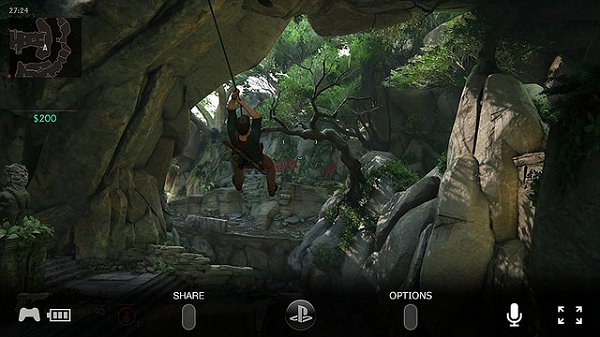
We’re adding voice chat when using Remote Play on Windows PC, Mac or an Xperia device. This is especially useful if you’ve got a gaming session planned with your friends, but you’re away from your system. You can switch your mic on and off via the microphone icon on the Tool Bar of the Remote Play app.
Off Console...
Here's the full announcement... courtesy of PlayStation Brand Marketing VP John Koller, to quote:
Our next major system software update for PS4, version 4.50 (codenamed Sasuke), rolls out tomorrow. We’ve already shared some of the key features last month, like external HDD support and custom wallpapers, but that wasn’t all this update has to offer. Here’s a look at some additional features heading to your system soon.
Improved 2D Images on PS VR
If you’re playing a game in PS VR and you return to the PS4 home screen, you may notice that the resolution looks lower than normal on the TV Social Screen. Following this update, you’ll find that the resolution of the system screen displayed on your TV is significantly better when you’re out of VR mode.
Also, the resolution of Cinematic Mode on PS VR will improve — if your PS VR screen size is set to Small or Medium, the frame rate of content viewed in Cinematic Mode goes up from 90Hz to 120Hz with this update.
Voice Chat for Remote Play
We’re adding voice chat when using Remote Play on Windows PC, Mac or an Xperia device. This is especially useful if you’ve got a gaming session planned with your friends, but you’re away from your system. You can switch your mic on and off via the microphone icon on the Tool Bar of the Remote Play app.
Off Console...
- PS4 Fake PKG (FPKG) Sharing Guide
- 6.XX Webkit / 6.72 PS4 Jailbreak
- 7.00-7.02 Webkit Exploit
- 7.02 Webkit / 7.02 Kernel / PS4JB
- 7.50 Kernel Exploit / PS4JB 7.55
- 7.55 / 8.00 Payloads / PS4JB2 7.55
- 9.00 PS4 Webkit Exploit
- 9.00 PS4 Payloads / GoldHEN (Latest)
- 9.00 PS4 Jailbreak Kernel Exploit
- 11.00 PS4 Jailbreak Kernel Exploit
- 13.00 PS4 Kernel Exploit / 13.02 BD-J Bug
- 4.03 PS5 Webkit Exploit
- PS5 Kernel Exploit (ExFAT Bug)
- PS5 Root Keys Obtained
- 4.03 PS5 Kernel Build String
- 4.03 PS5 Webkit Execution
- 4.03 PS5 Kernel Vulnerability
- 4.03 PS5 Filesystem Dumps
- 4.51 PS5 BD-JB Sandbox Escape
- PS5 BD-JB Exploit Hack Source Code
- Mast1c0re PS5 Userland Exploit
- PS5 Kernel Access via PS4 Exploit
- PS5 exFAT Vulnerability Disclosed
- 4.03 PS5 Kernel Exploit Webkit ROP
- 4.50 PS5 Kernel Exploit Webkit ROP
- 4.51 PS5 Kernel Exploit Webkit ROP
- 4.xx PS5 Kernel Exploit v1.01
- 4.xx PS5 Kernel Exploit v1.02 / v1.03
- PS5 1.00-6.50 Firmware Webkit
- Native PS5 ROP Chain Execution
- Mast1c0re PS5 Compiler Attack
- PS5 FreeBSD Kernel Bug & WebKit
- PS5 UMTX 2 Exploit & PS5 Jailbreak
- Byepervisor PS5 Hypervisor Exploit
- Lua Lapse PS5 Kxploit & Laps3c0re / Y2JB
- 12.00 / 12.70 PS5 Kernel Exploit