PSXHAX.COM website and domain for sale. Contact Us with your offer!

You are using an out of date browser. It may not display this or other websites correctly.
You should upgrade or use an alternative browser.
You should upgrade or use an alternative browser.
How to Host PS4HEN for 4.05 on Wifi USB Drive Guide by Stooged
Recently there has been a few threads that allow people to run the PS4HEN from things like Android or Rasberry PI and it came to mind the same thing can be done with little effort from a wifi usb stick.
So here is a bit of info on that... the wifi stick i used was a 16gb Connect Wireless Stick and you will need PS4-HEN-VTX.
Just plug the usb stick into your pc and copy the exploit folder from the PS4-HEN-VTX (master.zip) archive to the root of the drive.
Unplug the usb stick from the pc as it will not serve files over wifi while it is plugged into the usb port.
The wifi usb stick has its own battery and you can turn it off an on pressing a button on the side of it. turn it on, a light will flash on it to indicate that it is on.
Goto the PS4 wifi network settings and look for the SanDisk Connect XXXXX ssid and setup the connection using the auto settings, there is no need to set dns and stuff.
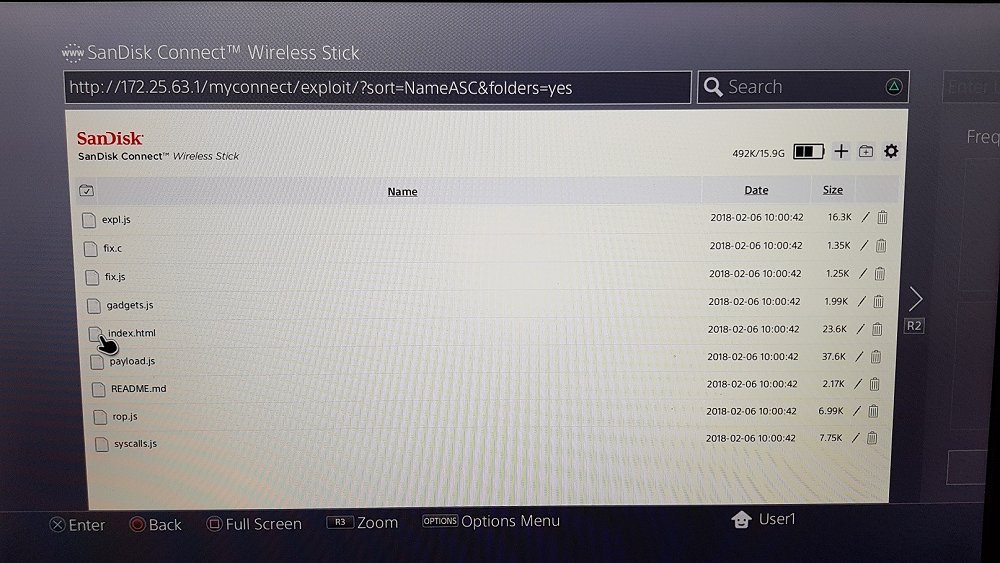
Once the ps4 is connected to the wifi stick open the WWW broswer and goto http://172.25.63.1/ and you should have the list of files on the stick.
You can then go into the exploit folder and select index.html and it will launch the exploit.
You can also make a bookmark to http://172.25.63.1/myconnect/exploit/index.html and it will launch the exploit straight from the bookmark
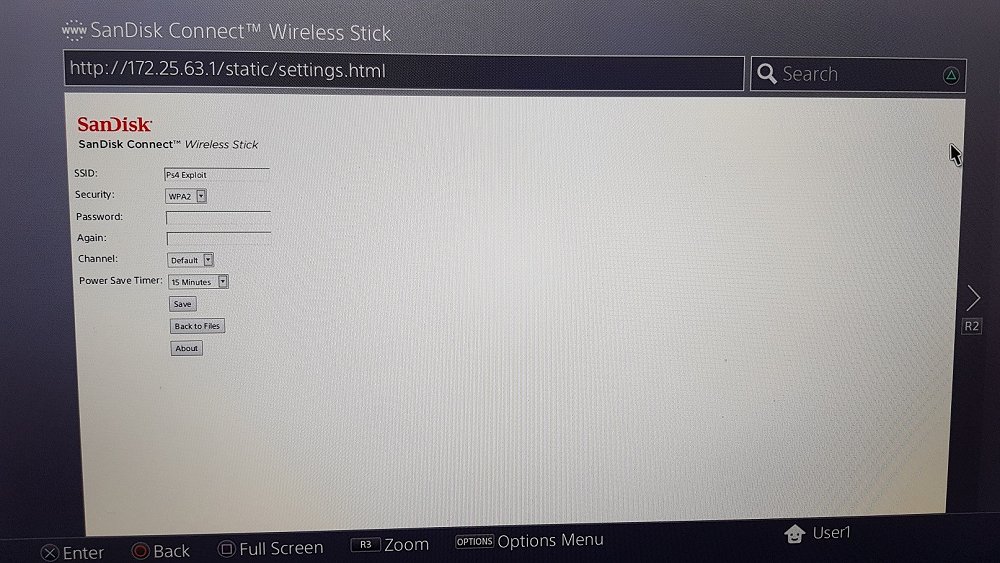
There is also some settings you can use to change the ssid and add WPA2 password to the wifi connection and set the power save timer (auto off)
Some pictures...
List of files
Exploit folder
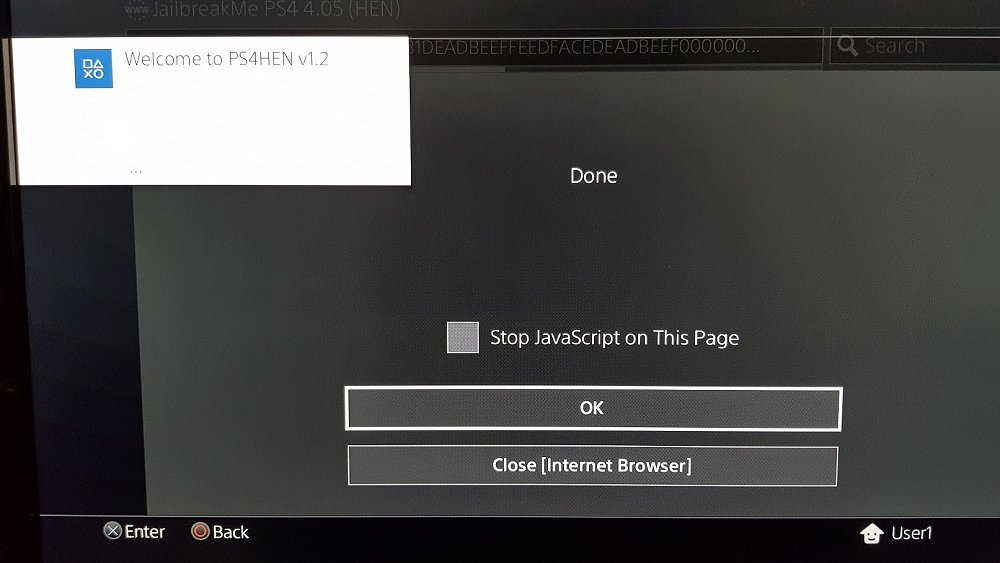
HEN success
Settings
So here is a bit of info on that... the wifi stick i used was a 16gb Connect Wireless Stick and you will need PS4-HEN-VTX.
Just plug the usb stick into your pc and copy the exploit folder from the PS4-HEN-VTX (master.zip) archive to the root of the drive.
Unplug the usb stick from the pc as it will not serve files over wifi while it is plugged into the usb port.
The wifi usb stick has its own battery and you can turn it off an on pressing a button on the side of it. turn it on, a light will flash on it to indicate that it is on.
Goto the PS4 wifi network settings and look for the SanDisk Connect XXXXX ssid and setup the connection using the auto settings, there is no need to set dns and stuff.
Once the ps4 is connected to the wifi stick open the WWW broswer and goto http://172.25.63.1/ and you should have the list of files on the stick.
You can then go into the exploit folder and select index.html and it will launch the exploit.
You can also make a bookmark to http://172.25.63.1/myconnect/exploit/index.html and it will launch the exploit straight from the bookmark
There is also some settings you can use to change the ssid and add WPA2 password to the wifi connection and set the power save timer (auto off)
Some pictures...
List of files
Exploit folder
HEN success
Settings
PS4 Theme Editor v0.1.1 Beta to Make PlayStation 4 Custom Themes
Following the recent PS4 Custom BGM and Theme PKG Files for exploited PlayStation 4 v4.05 consoles using PS4HEN, today @yyoossk let us know on Twitter that glanheit (glanheit_ST) made available PS4 Theme Editor v0.1.1 Beta followed by PS4 Theme Editor 0.1.2 Beta to make your own PS4 Custom Themes with a sample theme to use as a base template and demonstration video from his YouTube Channel below! 
Download: PS4_Theme_Editor_0-1-1beta.zip (2.0 MB) / PS4_Theme_Editor_0-1-2beta.zip (2.0 MB) / PS4_Theme_Editor_0-1-3beta.zip (2.01 MB) / Shia LaBeouf Just Do It Make Your Dreams Come True Theme.rar (10.53 MB) / Base Template (Mirror) / ps4 sample custom theme + se.rar
To quote from his blog at Yyoossk.Blogspot.jp on how to use it, roughly translated: PS4 Custom Theme Preview Image Creation Method (PS4 Theme Editor)
Before trying this method or asking questions please be sure to watch the link below!
Here I will show you how to create a preview image necessary for creating PS4 custom theme using PS4 Theme Editor created by Empty Space:
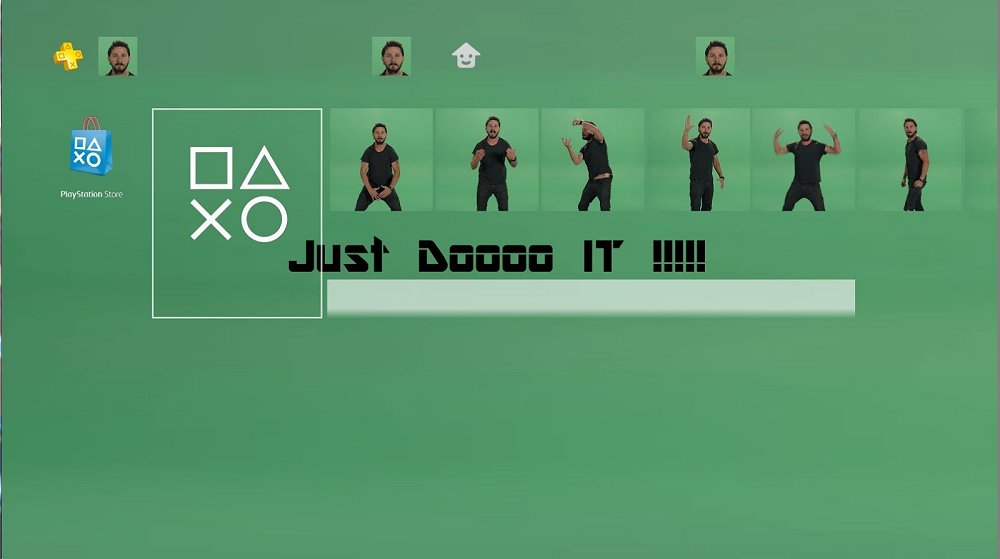
Download & decompress PS4 Theme Editor from Empire Space's blog:
Download: PS4_Theme_Editor_0-1-1beta.zip (2.0 MB) / PS4_Theme_Editor_0-1-2beta.zip (2.0 MB) / PS4_Theme_Editor_0-1-3beta.zip (2.01 MB) / Shia LaBeouf Just Do It Make Your Dreams Come True Theme.rar (10.53 MB) / Base Template (Mirror) / ps4 sample custom theme + se.rar
To quote from his blog at Yyoossk.Blogspot.jp on how to use it, roughly translated: PS4 Custom Theme Preview Image Creation Method (PS4 Theme Editor)
Before trying this method or asking questions please be sure to watch the link below!
Here I will show you how to create a preview image necessary for creating PS4 custom theme using PS4 Theme Editor created by Empty Space:
Download & decompress PS4 Theme Editor from Empire Space's blog:
- ...
DbBackup.bin Payload: Backup PS4 Database to USB Drive by Stooged
Recently @stooged lent a hand sharing both details with source code on Backing Up and Restoring the PS4 Database, and he followed up with a handy DbBackup.bin Payload compiled for PS4 4.05 OFW users to backup their PlayStation 4 database to a USB Drive alongside one for dumping save data below. 
Download: DbBackup.zip / Source Code / DB_SG_Backup.zip (8.79 KB - dumps save data into a folder called GameSaves) / DB_SG_Backup_v2.zip (8.27 KB - Dumps All User Accounts) / DB_SG_Backup3.zip (8.82 KB - Adds Notification Messages from 2much4u) / DB_Backup_455.zip (Updated for 4.55) / usb_455_db_backup.zip (0.02 MB) / Cache-Install: ApplicationCache.db / DB_SG_Backup-50X (Latest) / GIT
To quote from his recent post with...
Download: DbBackup.zip / Source Code / DB_SG_Backup.zip (8.79 KB - dumps save data into a folder called GameSaves) / DB_SG_Backup_v2.zip (8.27 KB - Dumps All User Accounts) / DB_SG_Backup3.zip (8.82 KB - Adds Notification Messages from 2much4u) / DB_Backup_455.zip (Updated for 4.55) / usb_455_db_backup.zip (0.02 MB) / Cache-Install: ApplicationCache.db / DB_SG_Backup-50X (Latest) / GIT
To quote from his recent post with...
Kitchen Helper UI: Frontend for KitchenAID PS4 PKG Tool
Hey everyone,
After having some problems with ripping Far Cry Primal and Battlefield 1 i wanted to make the whole process a bit simpler so i wrote a small ahk gui that does almost everything automatically for you.

Cleanup has to be done manually using the CLEAN.bat file, i will not let the app do that..
Its already skipping the pfs file and directly using app0, the icon0.png will be crushed to fix far cry primal issues with Fake PKG Generator. Most of the process is using simple scripts you can edit yourself.
I'm still working on automating Fake PKG Generator, if that could be done the whole process would run automatically. it seems to have some arguments but nothing i tried is working and i haven't found much documentation.
I'd also be interested in some knowledge on how to download updates <4.05, then we could have some easy ripping solution.
But for the time being this is at least making my workflow much simpler, hope someone finds this useful too.
Comments and Feedback are welcome...
After having some problems with ripping Far Cry Primal and Battlefield 1 i wanted to make the whole process a bit simpler so i wrote a small ahk gui that does almost everything automatically for you.
- If you already have @XVortex's FTP server running everything should run on its own until the Fake PKG Generator launches.
- If not, i have included Al-Azif's ps4-exploit-host and it launches automatically once it detects the PS4 and no FTP or Payload listener is running.
- point your PS4 DNS to your host pc IP
- start Kitchen Helper, it should detect your PS4 IP and start ps4-exploit-host automatically
- open the manual, it should redirect to IDC exploit automatically and send the FTP payload
- press detect in Kitchen Helper when FTP is up and your game installed + running
- once the game is detected the process is started automatically within 10 seconds
- the next thing you have to do is pressing (build) -> (select output file) -> (build) in Fake PKG Generator
Cleanup has to be done manually using the CLEAN.bat file, i will not let the app do that..
Its already skipping the pfs file and directly using app0, the icon0.png will be crushed to fix far cry primal issues with Fake PKG Generator. Most of the process is using simple scripts you can edit yourself.
I'm still working on automating Fake PKG Generator, if that could be done the whole process would run automatically. it seems to have some arguments but nothing i tried is working and i haven't found much documentation.
I'd also be interested in some knowledge on how to download updates <4.05, then we could have some easy ripping solution.
But for the time being this is at least making my workflow much simpler, hope someone finds this useful too.
Comments and Feedback are welcome...
How to Install PKG File Games on PS4 4.05 Firmware by XeXSolutions
Following some of the recent PS2 and PS4 PKG Guides, here's a video tutorial from @XeXSolutions on how to install PKG file games on exploited PS4 4.05 Firmware running PS4HEN which also can be hosted on Android and iOS devices. 
 If anyone along for the ride has time it would be great to fill a request for a PKG download manager tutorial also, as apparently there are free ones such as JDownloader (or Mipony for Windows or OS X) but a quick video showing how to use it with PKG links (such as ZippyShare) would be handy for many.
Check out the video below, and to quote from the description: How To Install PKG File Game Dumps 4.05 Firmware PS4
How to Download from ZippyShare Using TotalD by...
If anyone along for the ride has time it would be great to fill a request for a PKG download manager tutorial also, as apparently there are free ones such as JDownloader (or Mipony for Windows or OS X) but a quick video showing how to use it with PKG links (such as ZippyShare) would be handy for many. Check out the video below, and to quote from the description: How To Install PKG File Game Dumps 4.05 Firmware PS4
- Exploit DNS (For injecting payloads): 108.61.128.158
- PS4Hen Payload (for manual injection)
- PS4HEN PKG's
- Song Names: ElementD & Chordinatez - Radiate (feat. Mees Van Den Berg)
- Jordan Schor & Harley Bird - Home
- Be sure to follow me on Twitter
- Join my Discord Server
- Contact me on Skype: xex.solutions
- For an awesome modding community join XPGameSaves.com
How to Download from ZippyShare Using TotalD by...
- PS4 Fake PKG (FPKG) Sharing Guide
- 6.XX Webkit / 6.72 PS4 Jailbreak
- 7.00-7.02 Webkit Exploit
- 7.02 Webkit / 7.02 Kernel / PS4JB
- 7.50 Kernel Exploit / PS4JB 7.55
- 7.55 / 8.00 Payloads / PS4JB2 7.55
- 9.00 PS4 Webkit Exploit
- 9.00 PS4 Payloads / GoldHEN (Latest)
- 9.00 PS4 Jailbreak Kernel Exploit
- 11.00 PS4 Jailbreak Kernel Exploit
- 13.00 PS4 Kernel Exploit / 13.02 BD-J Bug
- 4.03 PS5 Webkit Exploit
- PS5 Kernel Exploit (ExFAT Bug)
- PS5 Root Keys Obtained
- 4.03 PS5 Kernel Build String
- 4.03 PS5 Webkit Execution
- 4.03 PS5 Kernel Vulnerability
- 4.03 PS5 Filesystem Dumps
- 4.51 PS5 BD-JB Sandbox Escape
- PS5 BD-JB Exploit Hack Source Code
- Mast1c0re PS5 Userland Exploit
- PS5 Kernel Access via PS4 Exploit
- PS5 exFAT Vulnerability Disclosed
- 4.03 PS5 Kernel Exploit Webkit ROP
- 4.50 PS5 Kernel Exploit Webkit ROP
- 4.51 PS5 Kernel Exploit Webkit ROP
- 4.xx PS5 Kernel Exploit v1.01
- 4.xx PS5 Kernel Exploit v1.02 / v1.03
- PS5 1.00-6.50 Firmware Webkit
- Native PS5 ROP Chain Execution
- Mast1c0re PS5 Compiler Attack
- PS5 FreeBSD Kernel Bug & WebKit
- PS5 UMTX 2 Exploit & PS5 Jailbreak
- Byepervisor PS5 Hypervisor Exploit
- Lua Lapse PS5 Kxploit & Laps3c0re / Y2JB
- 12.00 / 12.70 PS5 Kernel Exploit